How to Flash a New USB Initboot for TOS on Windows PC?


Re: How to Flash a New USB Initboot for TOS on Windows PC?
The file IS on the link in original post - I just checked.
F5-221 TOS7.0.1278 - 4x4TB (Ironwolf) Traid
F2-424 TOS7.0.1278 - 2x500GB nvme (P3) Traid, 2x6TB HDD (HGST) Traid
F2-221 TOS7.0.1278 - 1x3TB Ext4, 1x4TB Btrfs
F2-425+ TOS7.0.1278 - 2x500GB nvme (P3) Traid, 2x6TB HDD (EXOS) Traid
F2-424 TOS7.0.1278 - 2x500GB nvme (P3) Traid, 2x6TB HDD (HGST) Traid
F2-221 TOS7.0.1278 - 1x3TB Ext4, 1x4TB Btrfs
F2-425+ TOS7.0.1278 - 2x500GB nvme (P3) Traid, 2x6TB HDD (EXOS) Traid


Re: How to Flash a New USB Initboot for TOS on Windows PC?
How to install and run TOS6 in vmware workstation?


Re: How to Flash a New USB Initboot for TOS on Windows PC?
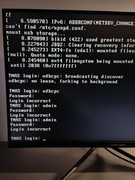
I downloaded the 120 mb one, and it doesn't work, it doesn't advance.

Re: How to Flash a New USB Initboot for TOS on Windows PC?
The old method was cumbersome and had a chance of failing, so we have replaced it with a simpler method as suggested by forum users.
To contact our team, please send email to following addresses, remember to replace (at) with @:
Technical team: support(at)terra-master.com (for technical support)
Service team: service(at)terra-master.com (for purchasing, return, replacement, RMA service)
Technical team: support(at)terra-master.com (for technical support)
Service team: service(at)terra-master.com (for purchasing, return, replacement, RMA service)
Re: How to Flash a New USB Initboot for TOS on Windows PC?
F5-221 TOS7.0.1278 - 4x4TB (Ironwolf) Traid
F2-424 TOS7.0.1278 - 2x500GB nvme (P3) Traid, 2x6TB HDD (HGST) Traid
F2-221 TOS7.0.1278 - 1x3TB Ext4, 1x4TB Btrfs
F2-425+ TOS7.0.1278 - 2x500GB nvme (P3) Traid, 2x6TB HDD (EXOS) Traid
F2-424 TOS7.0.1278 - 2x500GB nvme (P3) Traid, 2x6TB HDD (HGST) Traid
F2-221 TOS7.0.1278 - 1x3TB Ext4, 1x4TB Btrfs
F2-425+ TOS7.0.1278 - 2x500GB nvme (P3) Traid, 2x6TB HDD (EXOS) Traid

Re: How to Flash a New USB Initboot for TOS on Windows PC?
Hello,
To upgrade from TOS 4 to 5, I followed method and replaced the original USB key by a new one (version 120 Mb).
I now have TOS version 5.1.67 and Bios 5.6.5 in a F5-420 (with five 16tb HDD in RAID 5).
Unfortunately I noticed several problems:
- the HDD LEDs don't light up
- when I add a USB key, it doesn't appear in the list of USB devices (but fortunately it does appear in Explorer)
- and, most annoyingly, the fan never comes on
Have any of you encountered this problem and been able to solve it? I've scoured the whole forum without success.
Thank you for your help.
To upgrade from TOS 4 to 5, I followed method and replaced the original USB key by a new one (version 120 Mb).
I now have TOS version 5.1.67 and Bios 5.6.5 in a F5-420 (with five 16tb HDD in RAID 5).
Unfortunately I noticed several problems:
- the HDD LEDs don't light up
- when I add a USB key, it doesn't appear in the list of USB devices (but fortunately it does appear in Explorer)
- and, most annoyingly, the fan never comes on
Have any of you encountered this problem and been able to solve it? I've scoured the whole forum without success.
Thank you for your help.
Re: How to Flash a New USB Initboot for TOS on Windows PC?
Resolved after the rebuild of USB key and resetLmahdi wrote: ↑01 Jan 2025, 23:59 Hello,
To upgrade from TOS 4 to 5, I followed method and replaced the original USB key by a new one (version 120 Mb).
I now have TOS version 5.1.67 and Bios 5.6.5 in a F5-420 (with five 16tb HDD in RAID 5).
Unfortunately I noticed several problems:
- the HDD LEDs don't light up
- when I add a USB key, it doesn't appear in the list of USB devices (but fortunately it does appear in Explorer)
- and, most annoyingly, the fan never comes on
Have any of you encountered this problem and been able to solve it? I've scoured the whole forum without success.
Thank you for your help.


Re: How to Flash a New USB Initboot for TOS on Windows PC?
This is much easier to flash than doing it on a Linux computer!
-
damiensmith219

- Posts: 2
- Joined: 08 Apr 2025, 17:42

Re: How to Flash a New USB Initboot for TOS on Windows PC?
Thanks for sharing.

Re: How to Flash a New USB Initboot for TOS on Windows PC?
I have a F4-423. It was running 5.1.145 with BIOS/InitBoot version 5.19.
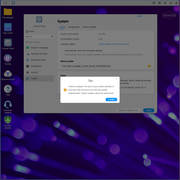
From the instructions on page 1 of this thread, I downloaded "USB_Initboot_UEFI-229.img" and used rufus to write it to a USB thumb drive.
With power to my NAS unplugged, I plugged that USB into back of NAS and turned it on with no M.2 or HDD plugged in.
I turned on the NAS and let it boot up. I had a monitor connected to the HDMI and there was no indication the NAS was doing any sort of "upgrade" or "install".
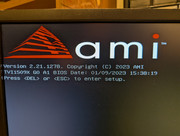
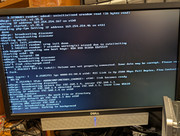
Now my NAS tells me "No hard drive detected." I have not plugged in my M.2 drives or HDDs.
I do not know what to do now.

FOLLOW-UP: I plugged 2 58GB NVME in the M.2 sockets and powered on. Browsed to the IP address and it prompted me for download and install of TOS 6. Prompted me where to install and I picked one of the SSD. It installed and rebooted and I was running TOS 6.0.530. Went through the setup process, created new Superuser account. Ran an upgrade check and it downloaded and installed some newer 6.0.x and rebooted again. All seemed okay with a 6.0 installed.
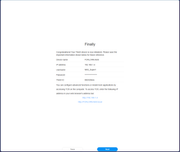
Powered off, plugged in my 4 4TB HDD, powered back on, browsed to the IP address and it prompts me to login to TOS 5.1! Was able to login with the username/password I had before the 6.0 upgrade. Powered off, unplugged the 4 4TB HDDs, powered up with only the two M.2 installed and it's still 5.1! I installed 6.0 on the SSD, where did it go?
What I want is to run 6.0.x, with my 4 4TB HDD in a RAID5, and the two M.2 NVME as a RAID1 SSD Cache for the RAID5 set. Is this possible, and if so what is the sequence I need to follow?
Last edited by BurnsyD17 on 28 Jul 2025, 05:38, edited 1 time in total.
BurnsyD
F4-210 (TOS4.2.41) 4x8TB <- retired
F4-423 (TOS6.0.750) 4x8TB (21.8TB usable) + 2xM.2 (1 for TOS, 1 for HyperCache)
F4-210 (TOS4.2.41) 4x8TB <- retired
F4-423 (TOS6.0.750) 4x8TB (21.8TB usable) + 2xM.2 (1 for TOS, 1 for HyperCache)