Transfer folder to another volume


Re: Transfer folder to another volume
The shared folder was about 10GB. It takes more than 30 Min. The longest time the progress bar stands on 99% and i was patient. Then the TOS does deregistered me after a while. After I logged in again, the transfer of the shared folder was apparently completed. But that was not the case. The folder is still on volume 1, but there are only empty folders in it. There is nothing on volume 2. The 6 disks are all new.
Re: Transfer folder to another volume
The order was approx. 10GB. Most of the time the progress bar was at 99%. After about half an hour I was logged out. After I logged in again, the popup with the progress indicator was no longer there. I assumed that the transfer process from volume 1 to volume 2 had been completed. However, the folder is not present on volume 2 and only the folder structure is still present on volume 1. What do I have to do to restore the data?
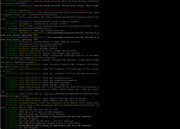
i hope the attached pictures are complete.
i hope the attached pictures are complete.
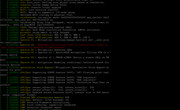
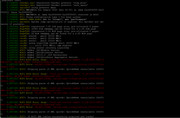
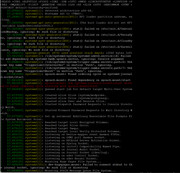
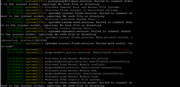
Re: Transfer folder to another volume
Do you have an answer?

Re: Transfer folder to another volume
To contact our team, please send email to following addresses, remember to replace (at) with @:
Technical team: support(at)terra-master.com(for technical support)
Service team: service(at)terra-master.com(for purchasing, return, replacement, RMA service)
Technical team: support(at)terra-master.com(for technical support)
Service team: service(at)terra-master.com(for purchasing, return, replacement, RMA service)

Re: Transfer folder to another volume
This problem has not been reproduced in our laboratory. It is recommended that you collect and send system reports to the technical support email (under my signature) so that we can check whether there are any abnormalities in your system.
To contact our team, please send email to following addresses, remember to replace (at) with @
Technical team: support(at)terra-master.com (for technical support)
Service team: service(at)terra-master.com (for purchasing, return, replacement, RMA service)
Technical team: support(at)terra-master.com (for technical support)
Service team: service(at)terra-master.com (for purchasing, return, replacement, RMA service)

Re: Transfer folder to another volume
The red part on the screenshot you provided doesn't seem to be related to the problem .
Have you observed a roughly 10GB increase in volume 2?
We recommend that you continue to communicate with our technical support e-mail address and we will troubleshoot the issue remotely if necessary.
Have you observed a roughly 10GB increase in volume 2?
We recommend that you continue to communicate with our technical support e-mail address and we will troubleshoot the issue remotely if necessary.
To contact our team, please send email to following addresses, remember to replace (at) with @:
Technical team: support(at)terra-master.com (for technical support)
Service team: service(at)terra-master.com (for purchasing, return, replacement, RMA service)
Technical team: support(at)terra-master.com (for technical support)
Service team: service(at)terra-master.com (for purchasing, return, replacement, RMA service)
Re: Transfer folder to another volume
Thank you, One good thing is that the red entries are not the problem. The question then naturally arises as to what needs to be done to ensure that the system runs smoothly without red entries.
I cannot confirm an increase in volume 2 after the transfer operation.
I had already written to support with the same problem description, but so far no answer. Also not that my mail has arrived at all. I have also generated the zip file via the interface and sent it by e-mail. Could you follow up internally? Is there any chance of retrieving my lost data? It's very sensitive here.
I cannot confirm an increase in volume 2 after the transfer operation.
I had already written to support with the same problem description, but so far no answer. Also not that my mail has arrived at all. I have also generated the zip file via the interface and sent it by e-mail. Could you follow up internally? Is there any chance of retrieving my lost data? It's very sensitive here.