Issue with Booting from NVMe After Installing TOS on Fresh Drive

Discuss, seek assistance, and report issues related to hardware components, such as hardware platforms, memory, network ports, power supplies, UPS systems, and so on.
Locked
User avatar
Volt
Posts: 2
Joined: 05 Dec 2024, 13:22
United States of America

Issue with Booting from NVMe After Installing TOS on Fresh Drive

Post by Volt »

Hello,

I have a F4-423 with TOS 6 installed on a TRAID+ array with 4 HDDs. I recently purchased a new NVMe drive to install the system on. Here are the steps I followed:

1. Installed the NVMe drive.
2. Unplugged all the HDDs.
3. Installed TOS on the NVMe drive.
4. Rebooted and changed the boot priority in BIOS to boot from the NVMe.

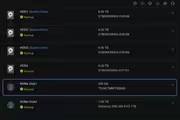
After these steps, TOS runs from the NVMe without any issues. However, when I reconnect the old HDDs with the TRAID array, the system always boots from the HDD, regardless of what I select in the BIOS boot order.

My goal is to boot and use the fresh system from the NVMe drive while preserving my data on the TRAID array. Is there a way to fix this issue?

Thank you for your help!

Image

Image
User avatar
EthanLiu
TM Product Manager
Posts: 177
Joined: 13 Nov 2023, 14:25
China

Re: Issue with Booting from NVMe After Installing TOS on Fresh Drive

Post by EthanLiu »

Volt wrote: 05 Dec 2024, 13:29
According to your operation, the system mark on the HDD is not cleared. During the restart process, the system will still start from the HDD.

Based on the current situation, you can try the following steps to solve your problem:
1. In Control Panel> System> Factory Settings, use the factory reset function to clear the system data.
2. Wait for the device to restart and initialize the device.
3. During the initialization process, select "ESC" for manual initialization, and then select NVME to install the system in the subsequent steps.

After completing the initialization according to the above steps, wait for the device to restart.
To contact our team, please send email to following addresses, remember to replace (at) with @
Technical team: support(at)terra-master.com (for technical support)
Service team: service(at)terra-master.com (for purchasing, return, replacement, RMA service)
User avatar
Volt
Posts: 2
Joined: 05 Dec 2024, 13:22
United States of America

Re: Issue with Booting from NVMe After Installing TOS on Fresh Drive

Post by Volt »

it worked out! Thanks for helping!
Locked

Return to “Hardware, Power and Accessories”