

I added a second disk to the Traid. However, while this hdd shows as being partitioned for the os mirror it does not appear to be configured
as part of the Traid. (I waited for sync to finish and performed a re-boot).
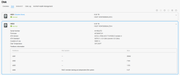
I also noticed 'dmsg' exited with this
Code: Select all
4]: EFI loader partition unknown, exiting.
[   23.842667] systemd-gpt-auto-generator[2644]: (The boot loader did not set EFI variable LoaderDevicePartUUID.)
[   41.004471] systemd-gpt-auto-generator[3011]: EFI loader partition unknown, exiting.
[   41.004477] systemd-gpt-auto-generator[3011]: (The boot loader did not set EFI variable LoaderDevicePartUUID.)
[  175.418510] systemd-gpt-auto-generator[4132]: EFI loader partition unknown, exiting.
[  175.418516] systemd-gpt-auto-generator[4132]: (The boot loader did not set EFI variable LoaderDevicePartUUID.)
[  177.591621] systemd-gpt-auto-generator[4271]: EFI loader partition unknown, exiting.
[  177.591627] systemd-gpt-auto-generator[4271]: (The boot loader did not set EFI variable LoaderDevicePartUUID.)
[  280.728195] initdb (4765) used greatest stack depth: 12480 bytes left
[  280.786720] systemd-gpt-auto-generator[4932]: EFI loader partition unknown, exiting.
[  280.786726] systemd-gpt-auto-generator[4932]: (The boot loader did not set EFI variable LoaderDevicePartUUID.)
[  280.932728] systemd-gpt-auto-generator[4959]: EFI loader partition unknown, exiting.
[  280.932733] systemd-gpt-auto-generator[4959]: (The boot loader did not set EFI variable LoaderDevicePartUUID.)
[  332.839304] kworker/dying (36) used greatest stack depth: 12288 bytes left
[ 1030.572698] systemd-gpt-auto-generator[7540]: EFI loader partition unknown, exiting.
[ 1030.572704] systemd-gpt-auto-generator[7540]: (The boot loader did not set EFI variable LoaderDevicePartUUID.)
[ 1088.613933] systemd-gpt-auto-generator[7887]: EFI loader partition unknown, exiting.
[ 1088.613939] systemd-gpt-auto-generator[7887]: (The boot loader did not set EFI variable LoaderDevicePartUUID.)
[ 1116.539871] systemd-gpt-auto-generator[8039]: EFI loader partition unknown, exiting.
[ 1116.539877] systemd-gpt-auto-generator[8039]: (The boot loader did not set EFI variable LoaderDevicePartUUID.)
[ 1117.349664] systemd-gpt-auto-generator[8082]: EFI loader partition unknown, exiting.
[ 1117.349670] systemd-gpt-auto-generator[8082]: (The boot loader did not set EFI variable LoaderDevicePartUUID.)
 Is there a way to add the second drive to the os mirror without re-install