

Ran update to 6.0.461 on a F4-424 PRO.
Now in File Manager it shows “Operation Failed” and then refuses to show any of my files.
If I mount the drives over SMB on a Mac computer I can still see my files.
My docker containers on the NAS appear to no longer be able to create new folders and write to the disks due to needing new folders.
Are there options to downgrade/rollback an update?
TOS 6.0.460 (X86) Beta is Released for Update
Re: TOS 6.0.460 (X86) Beta is Released for Update
F4-424 Pro: 4Bay Core i3-N305 8-Core 8-Thread CPU, 32GB DDR5 RAM | TRAID Pool 1 (18TBx18TBx18TBx4TB SATA HDDs) | TRAID Pool 2 (Two Samsung 980 NVMe M.2 1TB/ea)
D8 Hybrid attached: Single Disk (12TB SATA HDD)
D8 Hybrid attached: Single Disk (12TB SATA HDD)


Re: TOS 6.0.460 (X86) Beta is Released for Update
No easy option to rollback or downgrade. Have you tried a reboot?
F5-221 TOS7.0.1278 - 4x4TB (Ironwolf) Traid
F2-424 TOS7.0.1278 - 2x500GB nvme (P3) Traid, 2x6TB HDD (HGST) Traid
F2-221 TOS7.0.1278 - 1x3TB Ext4, 1x4TB Btrfs
F2-425+ TOS7.0.1278 - 2x500GB nvme (P3) Traid, 2x6TB HDD (EXOS) Traid
F2-424 TOS7.0.1278 - 2x500GB nvme (P3) Traid, 2x6TB HDD (HGST) Traid
F2-221 TOS7.0.1278 - 1x3TB Ext4, 1x4TB Btrfs
F2-425+ TOS7.0.1278 - 2x500GB nvme (P3) Traid, 2x6TB HDD (EXOS) Traid
Re: TOS 6.0.460 (X86) Beta is Released for Update
Rebooted multiple times. Verified I re-enabled TNAS.online.
The mobile app (iOS) is now showing my shared folders, I can still mount over SMB to a Mac. But via TOS the file explorer provides error. Will check if my docker containers continue to pose a problem come tomorrow. I primarily see problems in SABNzbd, which is set on a schedule for when it’s allowed to download new content
The mobile app (iOS) is now showing my shared folders, I can still mount over SMB to a Mac. But via TOS the file explorer provides error. Will check if my docker containers continue to pose a problem come tomorrow. I primarily see problems in SABNzbd, which is set on a schedule for when it’s allowed to download new content
F4-424 Pro: 4Bay Core i3-N305 8-Core 8-Thread CPU, 32GB DDR5 RAM | TRAID Pool 1 (18TBx18TBx18TBx4TB SATA HDDs) | TRAID Pool 2 (Two Samsung 980 NVMe M.2 1TB/ea)
D8 Hybrid attached: Single Disk (12TB SATA HDD)
D8 Hybrid attached: Single Disk (12TB SATA HDD)
Re: TOS 6.0.460 (X86) Beta is Released for Update
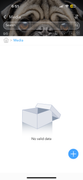
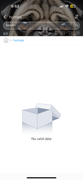
I take it back. The TNAS app, which is up to date, can see the shared folders but won’t show anything inside of them.
F4-424 Pro: 4Bay Core i3-N305 8-Core 8-Thread CPU, 32GB DDR5 RAM | TRAID Pool 1 (18TBx18TBx18TBx4TB SATA HDDs) | TRAID Pool 2 (Two Samsung 980 NVMe M.2 1TB/ea)
D8 Hybrid attached: Single Disk (12TB SATA HDD)
D8 Hybrid attached: Single Disk (12TB SATA HDD)

Re: TOS 6.0.460 (X86) Beta is Released for Update
Please go to the "Shared Folders" in the control panel, click on "Advanced Settings" in the upper right corner, and then select "Restore Shared Folder." This might resolve your issue. If the problem persists, please provide the following information so we can better analyze and address it: Which TOS version did you upgrade from to TOS 6.0.461? What is the current storage status of your device: how many disks are in use? What type of array is configured? How many volumes are there?Tony92 wrote: ↑07 Sep 2024, 05:03 Ran update to 6.0.461 on a F4-424 PRO.
Now in File Manager it shows “Operation Failed” and then refuses to show any of my files.
If I mount the drives over SMB on a Mac computer I can still see my files.
My docker containers on the NAS appear to no longer be able to create new folders and write to the disks due to needing new folders.
Are there options to downgrade/rollback an update?
To contact our team, please send email to following addresses, remember to replace (at) with @:
Technical team: support(at)terra-master.com(for technical support)
Service team: service(at)terra-master.com(for purchasing, return, replacement, RMA service)
Technical team: support(at)terra-master.com(for technical support)
Service team: service(at)terra-master.com(for purchasing, return, replacement, RMA service)


Re: TOS 6.0.460 (X86) Beta is Released for Update
There is still the problem that the UDF function has been deactivated in the kernel. This means that you cannot read BluRay ISOs or some DVD ISOs because the UDF file format is not recognized.
This works very well in version 5.1
This works very well in version 5.1
Re: TOS 6.0.460 (X86) Beta is Released for Update
What is also very modest is the fact that only hard drives that have been formatted by TOS can be mounted. If I have a hard drive in BTRF or EXT4 format, I can only mount it if I format it in TOS and 4 partitions (3 of which are not needed) are written to it.
Re: TOS 6.0.460 (X86) Beta is Released for Update
That is incorrect. I have mounted exfat, NTfs and ext4 partitions. It does seem a bit clunky, but you do have to select the actual partitions (not DISK) before selecting the 'mount disk' function. You may also have to reboot device for the mount to be recognised.
F5-221 TOS7.0.1278 - 4x4TB (Ironwolf) Traid
F2-424 TOS7.0.1278 - 2x500GB nvme (P3) Traid, 2x6TB HDD (HGST) Traid
F2-221 TOS7.0.1278 - 1x3TB Ext4, 1x4TB Btrfs
F2-425+ TOS7.0.1278 - 2x500GB nvme (P3) Traid, 2x6TB HDD (EXOS) Traid
F2-424 TOS7.0.1278 - 2x500GB nvme (P3) Traid, 2x6TB HDD (HGST) Traid
F2-221 TOS7.0.1278 - 1x3TB Ext4, 1x4TB Btrfs
F2-425+ TOS7.0.1278 - 2x500GB nvme (P3) Traid, 2x6TB HDD (EXOS) Traid


Re: TOS 6.0.460 (X86) Beta is Released for Update
Hi. build 641
The NAS turns off randomly, this is no longer an isolated case. It's just that the beeper beeps and the system shuts down
The NAS turns off randomly, this is no longer an isolated case. It's just that the beeper beeps and the system shuts down
Re: TOS 6.0.460 (X86) Beta is Released for Update
Thank you for your assistance. I will pass this information on to our technical team.
To contact our team, please send email to following addresses, remember to replace (at) with @:
Technical team: support(at)terra-master.com(for technical support)
Service team: service(at)terra-master.com(for purchasing, return, replacement, RMA service)
Technical team: support(at)terra-master.com(for technical support)
Service team: service(at)terra-master.com(for purchasing, return, replacement, RMA service)