Hi,
I have 4 3.5" HDDs (2 x 4Tb, 2 x 3Tb) set up as a TRAID and formatted using BTRFS but no SSDs installed internally. I would like, ideally, to add two 500Gb SSDs internally and reinstall TOS6 (which I am currently using, fully updated) with no issues, onto one of them, and to use the other SSD as a newly created Hypercache. I hope this is possible, I don`t want to loose around 9.5Tb of files (movies, pc backups and tv shows), I could do this by removing all four HDD drawers first but I`m unsure how to make the new installation `see` the existing TRAID folders\files.
I am also using TFSBackup with three separate scheduled backups which backup one folder each onto a USB connected D5-300C so this would need to be re-enabled somehow?
I`m reasonably PC literate but could someone help with a step by step for me, many thanks indeed.
Steve.
How do I reinstall TOS6 to a new SSD on existing F4-423


Re: How do I reinstall TOS6 to a new SSD on existing F4-423
Are you using TOS 6.0.420? If your USB is up to date, it is recommended that you backup your data and then reinstall your system, insert all hard drives when reinstalling, and then select your SSD for installation. If you install without the four disks plugged in, it's still possible to reboot from the old TOS.
To contact our team, please send email to following addresses, remember to replace (at) with @
Technical team: support(at)terra-master.com (for technical support)
Service team: service(at)terra-master.com (for purchasing, return, replacement)
Technical team: support(at)terra-master.com (for technical support)
Service team: service(at)terra-master.com (for purchasing, return, replacement)
Re: How do I reinstall TOS6 to a new SSD on existing F4-423
Hi, My system shows as 6.0.229 stating it is up to date, but I can upgrade using a downloaded file if needed. My files are all backup okay on the 5 drives in the F5-300C. How do I check if my USB is up to date? or is this the system 6.0.229 version? Would I need to upgrade first prior to reinstallation as this will upgrade the files on the internal USB small stick? If I need to upgrade could you send me the file as I cannot see it on the download section of the F4-423, only TOS5 files.
Could you give me a basic step by step of the reset up? Would I install the two M2 SSDs internally and then start the TOS6 installation somehow and then insert the four HDD drawers at some point of the reinstallation?
Many thanks,
Steve.
Could you give me a basic step by step of the reset up? Would I install the two M2 SSDs internally and then start the TOS6 installation somehow and then insert the four HDD drawers at some point of the reinstallation?
Many thanks,
Steve.


Re: How do I reinstall TOS6 to a new SSD on existing F4-423
Hi,
I am new to this forum and I am very interrested in a step-by-step guide too. I already filled my T12-500 Pro with HDDs in TRAID+ and would like to add a SDD to install TOS 6 on it, without loosing any of my data.
If I understood correctly, I just have to :
- turn off my TNAS
- remove the HDDs
- add a new SDD
- turn on the TNAS
- install TOS 6 to the SDD
- insert all HDDs back
Would that be correct ? And what should I do with the previously installed applications, such as Plex ? And would my setup for users and permissions still OK ?
Thank you,
Christophe
I am new to this forum and I am very interrested in a step-by-step guide too. I already filled my T12-500 Pro with HDDs in TRAID+ and would like to add a SDD to install TOS 6 on it, without loosing any of my data.
If I understood correctly, I just have to :
- turn off my TNAS
- remove the HDDs
- add a new SDD
- turn on the TNAS
- install TOS 6 to the SDD
- insert all HDDs back
Would that be correct ? And what should I do with the previously installed applications, such as Plex ? And would my setup for users and permissions still OK ?
Thank you,
Christophe


Re: How do I reinstall TOS6 to a new SSD on existing F4-423
i purchased a new f4-423 it shows the tos 5.1.145 is the updated version .
should i upgrade to tos6 ?
i tried to search for methods / links to update to tos 6 but cant figure out hwo to do it.
can any one help me.
should i upgrade to tos6 ?
i tried to search for methods / links to update to tos 6 but cant figure out hwo to do it.
can any one help me.

Re: How do I reinstall TOS6 to a new SSD on existing F4-423
The method to upgrade TOS5 to TOS6 has not been released yet. If you would like to upgrade to TOS6, please watch for further announcements.
To contact our team, please send email to following addresses, remember to replace (at) with @:
Technical team: support(at)terra-master.com (for technical support)
Service team: service(at)terra-master.com (for purchasing, return, replacement, RMA service)
Technical team: support(at)terra-master.com (for technical support)
Service team: service(at)terra-master.com (for purchasing, return, replacement, RMA service)


Re: How do I reinstall TOS6 to a new SSD on existing F4-423
Hey mate, have you managed to reinstall it?SteveD73 wrote: ↑27 Jul 2024, 14:39 Hi,
I have 4 3.5" HDDs (2 x 4Tb, 2 x 3Tb) set up as a TRAID and formatted using BTRFS but no SSDs installed internally. I would like, ideally, to add two 500Gb SSDs internally and reinstall TOS6 (which I am currently using, fully updated) with no issues, onto one of them, and to use the other SSD as a newly created Hypercache. I hope this is possible, I don`t want to loose around 9.5Tb of files (movies, pc backups and tv shows), I could do this by removing all four HDD drawers first but I`m unsure how to make the new installation `see` the existing TRAID folders\files.
I am also using TFSBackup with three separate scheduled backups which backup one folder each onto a USB connected D5-300C so this would need to be re-enabled somehow?
I`m reasonably PC literate but could someone help with a step by step for me, many thanks indeed.
Steve.
I would like to do the same now
Re: How do I reinstall TOS6 to a new SSD on existing F4-423
I managed to re-install TOS6 today to a new NVMe without major issues. Steps I did are :
1. Backup system config
2. Power off, take all HDDs out, install new NVMe, take old out
3. Power on and install as usual
4. Once user is created, dont create any volumes, Restore system config via Control Panel -> System
5. Power off
6. Install HDDs
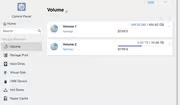
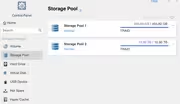
7. Up-on boot TOS6 automatically recognized StoragePool/Volume
8. job done
1. Backup system config
2. Power off, take all HDDs out, install new NVMe, take old out
3. Power on and install as usual
4. Once user is created, dont create any volumes, Restore system config via Control Panel -> System
5. Power off
6. Install HDDs
7. Up-on boot TOS6 automatically recognized StoragePool/Volume
8. job done

Re: How do I reinstall TOS6 to a new SSD on existing F4-423
I followed the instructions below, everything was fine until step 7 when it shows volume 3 as being the system drive (the restored system config has changed the system drive from volume 4 - the new 1TB NVMe - back to Volume 3). It did show up all the volumes, but the whole reason for doing this was to change the system drive from the RAID5 mechanical drives to the new M2 NVMe. 
Re: How do I reinstall TOS6 to a new SSD on existing F4-423
by bugacha » 10 Nov 2024, 20:32
I managed to re-install TOS6 today to a new NVMe without major issues. Steps I did are :
1. Backup system config
2. Power off, take all HDDs out, install new NVMe, take old out
3. Power on and install as usual
4. Once user is created, dont create any volumes, Restore system config via Control Panel -> System
5. Power off
6. Install HDDs
7. Up-on boot TOS6 automatically recognized StoragePool/Volume
8. job done
Re: How do I reinstall TOS6 to a new SSD on existing F4-423
by bugacha » 10 Nov 2024, 20:32
I managed to re-install TOS6 today to a new NVMe without major issues. Steps I did are :
1. Backup system config
2. Power off, take all HDDs out, install new NVMe, take old out
3. Power on and install as usual
4. Once user is created, dont create any volumes, Restore system config via Control Panel -> System
5. Power off
6. Install HDDs
7. Up-on boot TOS6 automatically recognized StoragePool/Volume
8. job done
-
itzmillertyme

- Posts: 1
- Joined: 30 Dec 2024, 07:48

Re: How do I reinstall TOS6 to a new SSD on existing F4-423
Hello I had initialized my f2-423 with 1 12tb hd then decided to add a nvme drive. I did as per your instructions, my original drive shows up under volume and storage pool and still has my data on it but I cannot see any folders. My plex server still recognizes them though and they show up when adding libraries in plex. Please help me configure a path to see my folders and data