TOS 7 - VMs App functionality.
Posted: 19 Apr 2026, 22:24
I understand both TOS 7 and the new vm app are a work in progress, I tried it out for myself, tried a windows 7 x64 pro vm as well as windows 10 x64 pro since there are guest tools linked as compatible for both. Being somewhat familiar with vm's I encountered an issue with windows 7's guest tools, attaching the iso for virtio-win 0.1.173 results in a message reading only windows 8 or server 2012 and later are supported by the guest tools. So I try spinning up a windows 10 pro installation, no display driver support other than the basic driver.
I haven't touched the bios
Is it possible to get basic display acceleration under windows 7 or 10 in the vm? I have a niche use case I where I need basic hardware video acceleration. It requires windows with Media center support.
F4-423 running tos 7.0.0517
32gb system memory
Bios/initboot 5.19
VMs app beta version 1.0.042
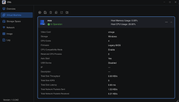
Here's my settings for the vm
I haven't touched the bios
Is it possible to get basic display acceleration under windows 7 or 10 in the vm? I have a niche use case I where I need basic hardware video acceleration. It requires windows with Media center support.
F4-423 running tos 7.0.0517
32gb system memory
Bios/initboot 5.19
VMs app beta version 1.0.042
Here's my settings for the vm