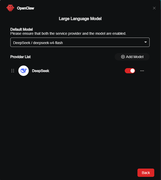
How to Configure LLM for OpenClaw in TOS
Posted: 01 Apr 2026, 16:54
Important Note: Before doing this, please confirm that you have installed the latest version of the OpenClaw application in the App Center.
The required TOS compatible version is 7.0.0746
How to Configure Large Language Models?
I. Popular Large Language Models (Using OpenAI as an Example)
1.Go to the official OpenAI console page [ https://platform.openai.com/ ]
and log in to your account. After logging in, open the [ API key ] page and create an API key.

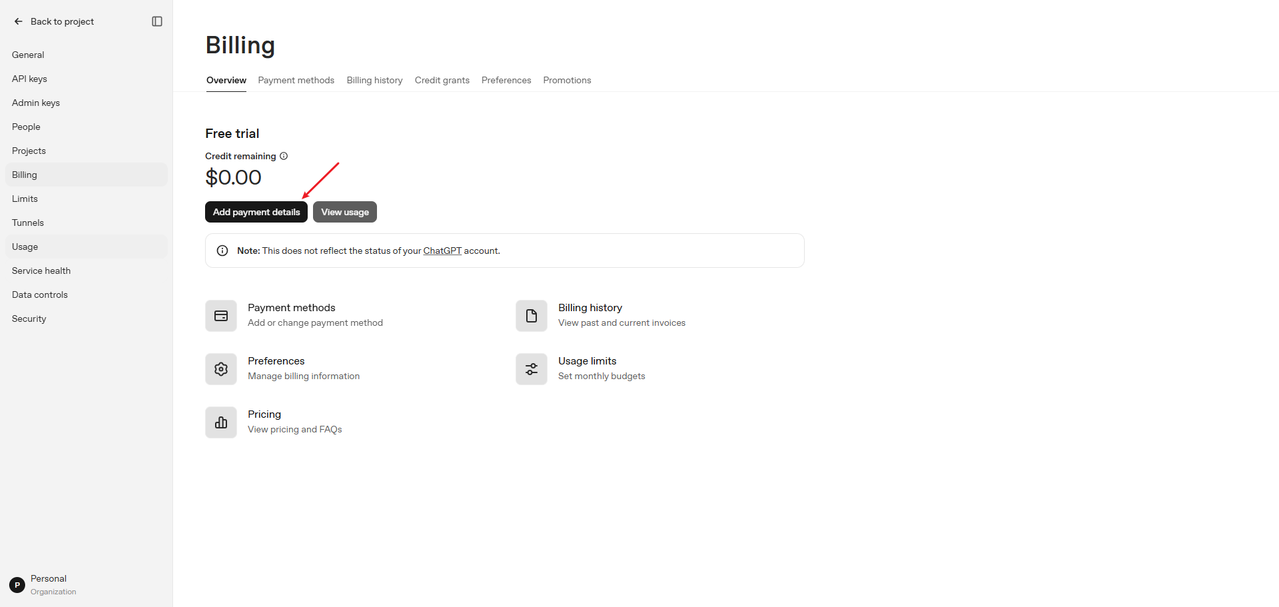
2.After creating it, you will receive the [ API key ] ( You can purchase the plan through the official link: https://platform.openai.com/settings/or ... g/overview).

II. Configure Large Language Models
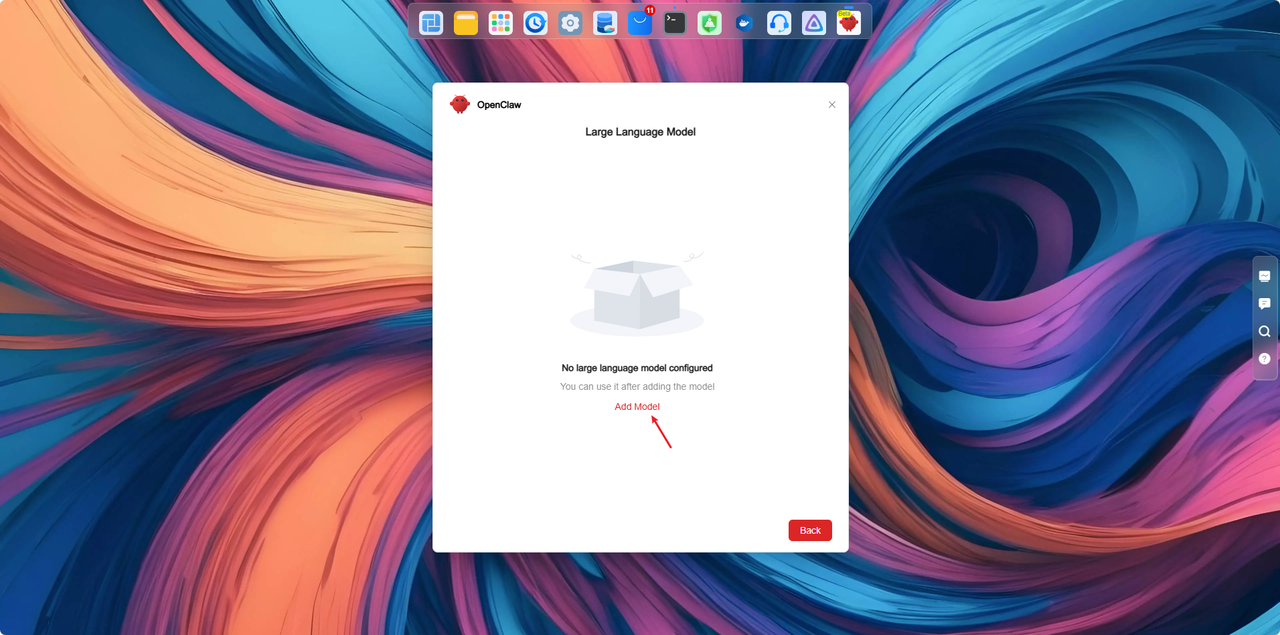
1.Open the model configuration page
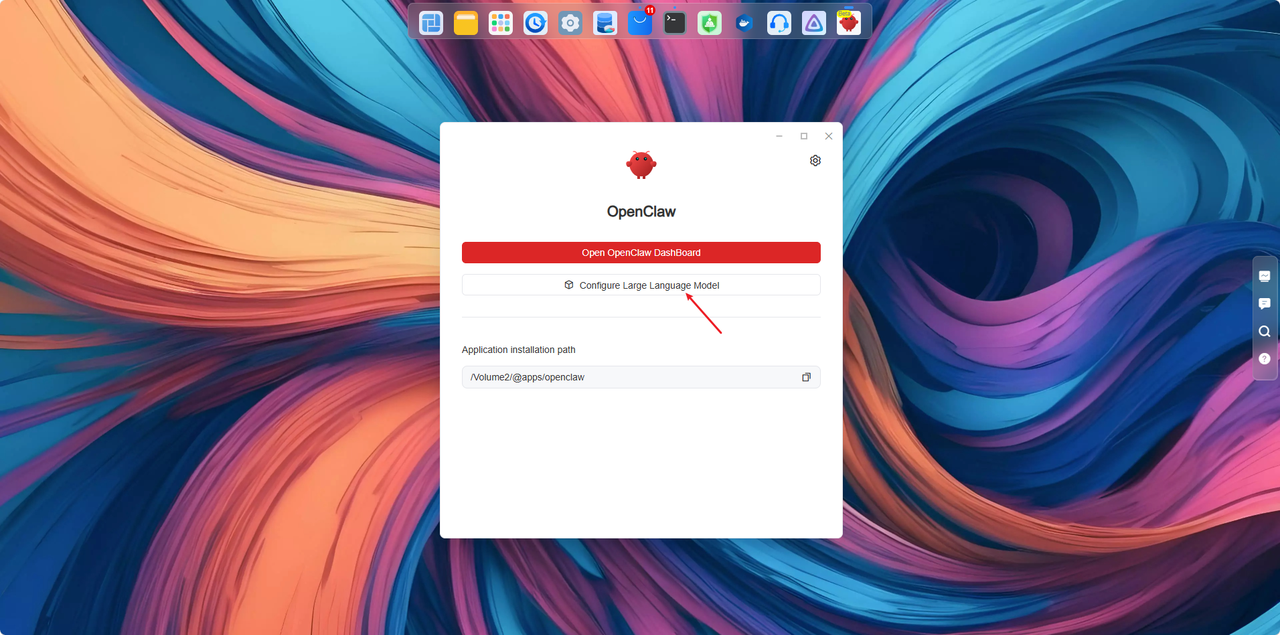
On the TNAS device, use the super administrator account to open the [ OpenClaw ] app, and directly click [ Configure Large Language Model ] to enter the model configuration page.
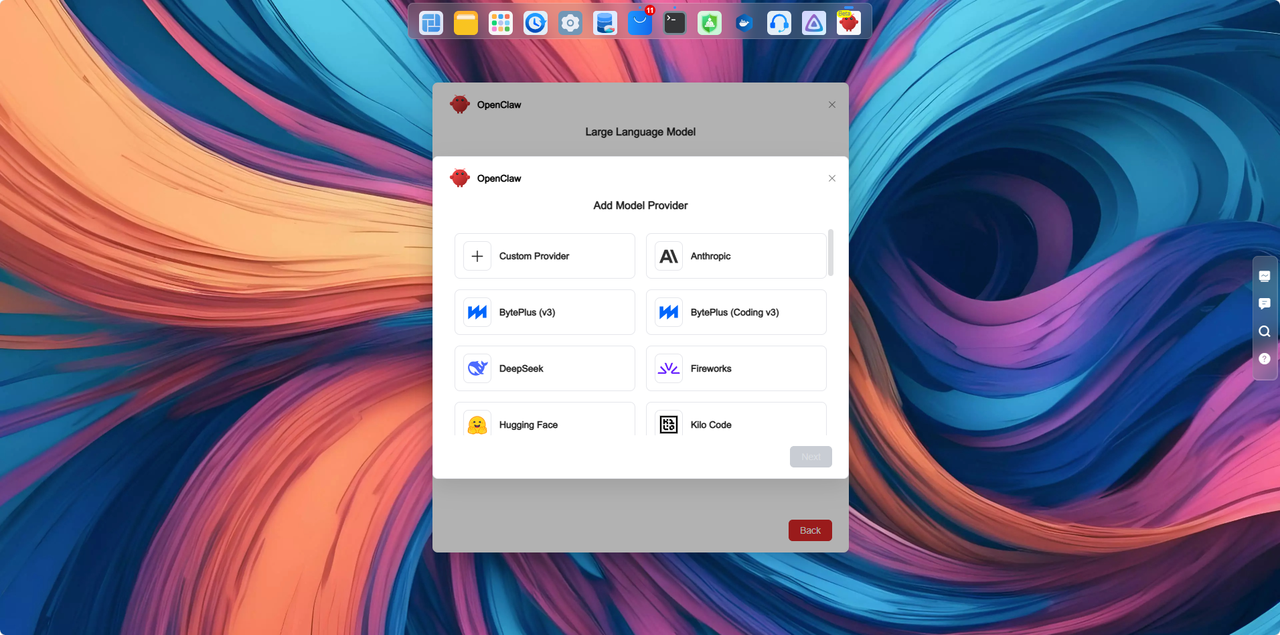
2. Select a model service provider
Choose the corresponding model provider from the service provider list.
For example:
● OpenAI
● Anthropic
● Gemini
If your desired service provider is not listed, or if you need to access the model service through a proxy server, please select [ Custom Provider ].
3. Fill in the model information
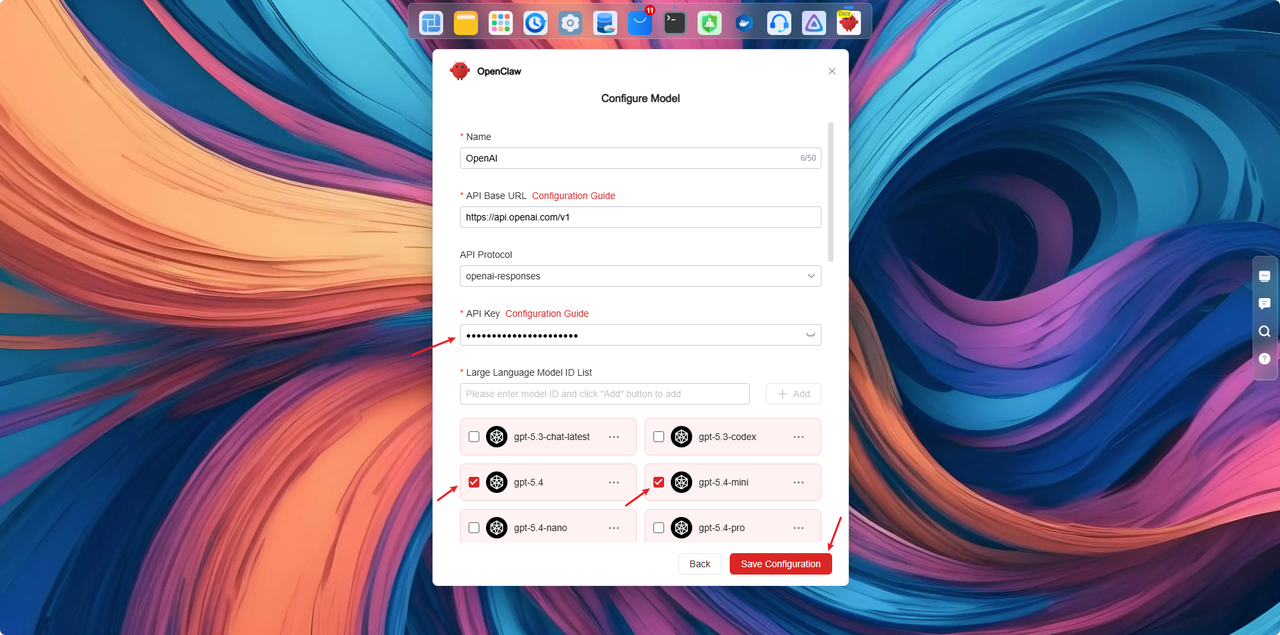
Using OpenAI as an example:
● API Key: Enter the API Key you just created
● Model: Select the model you wish to use (e.g., gpt-5.4)
After filling in the information, click [ Save Configuration ].
Once the system prompts that the save is successful, you are ready to start using it.
Ⅲ.Verifying Successful Model Configuration
Open the [ OpenClaw ] application and type ‘ hello ’ in the dialog box.
1. If OpenClaw responds properly, the large language model configuration is successful.

2. If the response content looks like the image below, it means the configuration failed. You can retry the operations in step two to ensure they are executed correctly.

3. If the error message appears as shown, it means there are insufficient tokens in your plan. Please visit the OpenAI official website [https://platform.openai.com/settings/or ... g/overview] to purchase more tokens.

The required TOS compatible version is 7.0.0746
How to Configure Large Language Models?
I. Popular Large Language Models (Using OpenAI as an Example)
1.Go to the official OpenAI console page [ https://platform.openai.com/ ]
and log in to your account. After logging in, open the [ API key ] page and create an API key.
2.After creating it, you will receive the [ API key ] ( You can purchase the plan through the official link: https://platform.openai.com/settings/or ... g/overview).
II. Configure Large Language Models
1.Open the model configuration page
On the TNAS device, use the super administrator account to open the [ OpenClaw ] app, and directly click [ Configure Large Language Model ] to enter the model configuration page.
2. Select a model service provider
Choose the corresponding model provider from the service provider list.
For example:
● OpenAI
● Anthropic
● Gemini
If your desired service provider is not listed, or if you need to access the model service through a proxy server, please select [ Custom Provider ].
3. Fill in the model information
Using OpenAI as an example:
● API Key: Enter the API Key you just created
● Model: Select the model you wish to use (e.g., gpt-5.4)
After filling in the information, click [ Save Configuration ].
Once the system prompts that the save is successful, you are ready to start using it.
Ⅲ.Verifying Successful Model Configuration
Open the [ OpenClaw ] application and type ‘ hello ’ in the dialog box.
1. If OpenClaw responds properly, the large language model configuration is successful.
2. If the response content looks like the image below, it means the configuration failed. You can retry the operations in step two to ensure they are executed correctly.
3. If the error message appears as shown, it means there are insufficient tokens in your plan. Please visit the OpenAI official website [https://platform.openai.com/settings/or ... g/overview] to purchase more tokens.