[Help] WD Elements external USB Drive
Posted: 23 Mar 2026, 00:07
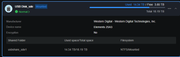
Has anyone had an issue with attaching a WD Elements external USB Drive (20TB) to a TerraMaster NAS?
I mean it works fine, but it seems to power off if the drive is idle after a while. I have to push the power button on the back of it to "wake" it up.
All the NAS hibernation settings are off.
It's attached to the F4-424 Pro
It's not part of a storage pool, just an USB External drive.
I mean it works fine, but it seems to power off if the drive is idle after a while. I have to push the power button on the back of it to "wake" it up.
All the NAS hibernation settings are off.
It's attached to the F4-424 Pro
It's not part of a storage pool, just an USB External drive.