Portainer won't take changes
Posted: 14 Feb 2026, 02:42
So I decided to install Portainer to manage my few dockers and making the updating easier.
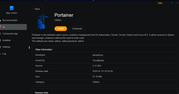
I installed it on my F2-425 Plus from the available applications (followed this guide: https://tmnascommunity.eu/download/dock ... portainer/)
Install went fine, I logged on, reset the admin password, connected to the docker engine and it's showing my containers and status but whenever I am trying to make changes or pull updated images it seems to be timing out.
Trying to change the application settings ot enable the snapshot will return the following error:
"Unable to update application settings: Http: Handler timeout"
Trying to pull a container image and I get this:
"Unable to pull image: Http: Handler timeout"
I did have to uninstall (deleted the config) and reinstall the first time around cause I enabled the "force HTTPS only" and somehow it borked access. It's still appears to be running in https (the nas is set to force redirect) so I'm not sure if this has anything to do with it.
Any input would be appreciated.
I installed it on my F2-425 Plus from the available applications (followed this guide: https://tmnascommunity.eu/download/dock ... portainer/)
Install went fine, I logged on, reset the admin password, connected to the docker engine and it's showing my containers and status but whenever I am trying to make changes or pull updated images it seems to be timing out.
Trying to change the application settings ot enable the snapshot will return the following error:
"Unable to update application settings: Http: Handler timeout"
Trying to pull a container image and I get this:
"Unable to pull image: Http: Handler timeout"
I did have to uninstall (deleted the config) and reinstall the first time around cause I enabled the "force HTTPS only" and somehow it borked access. It's still appears to be running in https (the nas is set to force redirect) so I'm not sure if this has anything to do with it.
Any input would be appreciated.