Page 1 of 1
[Help] Volume is full
Posted: 29 Jan 2026, 15:59
by michaelf
Hello!
There's NAS F6-424, 1 volume made of 6 disk of 12 TB in size configured as RAID5, BTRFS.
When the volume has reached its maximum capacity of 54.52 TB...
![Image]()
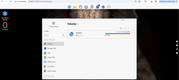
...I tried to free up space on Volume1 and deleted 1 TB of data at first, then 2 more TBs and then ~4 TBs for a total of about 7 TB.
The result: TOS displays the same picture with ~0 MB free, I can't create any files/folders on shares on Volume1 ...???
Thank you in advance,
Michael
Re: [Help] Volume is full
Posted: 29 Jan 2026, 16:51
by Gremlin
If you have 'Filesystem Snapshot' set or 'Snapshot App' running )now or in the past' and significant data file changes, that may be consuming additional space. {When a file/folder is in a snapshot, the space is not cleared for deleted files until the relevant snapshot is deleted.}
You can check usage: Control Panel > Volume > More > Usage Details {Maybe post a screen shot}
Likewise, BTRFS itself does not necessarily clear used space until it is needed {When it is overwritten}
Re: [Help] Volume is full
Posted: 29 Jan 2026, 17:52
by michaelf
Gremlin, thank you for your reply!
I tried to access Control Panel > Volume > More > Usage Details but it hanged

I do use Centrilized Backup that's using Volume1\ARCHIVE folder but
1) I don't know how to remove some old backup versions - I tried to change the number of backup versions from 14 to 7 but Centrilized Backup always throws the error ~"Operation failed"
2) I removed ~7 TB from Volume1\PUBLIC where the ordinary (copy/paste) backups are kept - doesn't it mean Volume1 should now have at least 7 TB of free space???
Re: [Help] Volume is full
Posted: 29 Jan 2026, 18:19
by CursaYang
Please generate and download the log report in TOS > Technical Support > Issue Report, then send it to our technical support email (
[email protected]). We will analyze it. Also, include the link to this post in the body of the email.