Page 1 of 2
TOS7 - Check for new version not working
Posted: 24 Jan 2026, 03:10
by Puccio71
Hi,
for the first time since I installed TOS7 I tried to check for a new version from within Control Panel -> System, a pop-up appears on the desktop saying that there is a new version but panel shows an error:
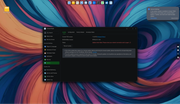
Maybe is it a bug of TOS7?
Re: TOS7 - Check for new version not working
Posted: 24 Jan 2026, 11:27
by TMjack
Could you please try downloading the TOS 7.0.0392 upgrade package through the following link to confirm if it can be successfully downloaded? At the same time, we will conduct a thorough check of the server and perform an in-depth analysis to identify the cause of the issue.
https://download3.terra-master.com/TOS% ... 161550.bz2
Re: TOS7 - Check for new version not working
Posted: 24 Jan 2026, 22:51
by Ralli64
Hello,
I have exactly the same problem here.
The version is TOS 7.0.0375 (F2-424 / F4-424)
Manual download works. Downloading updates for already installed apps also works.
Re: TOS7 - Check for new version not working
Posted: 24 Jan 2026, 23:53
by Puccio71
Same as Ralli64 wrote,
all other downloads from within TOS work and manual download of 0392 just finished, current TOS is 7.0.0375 too.
Going to update to 0392.
Re: TOS7 - Check for new version not working
Posted: 25 Jan 2026, 00:11
by Puccio71
So,
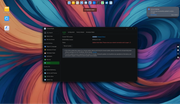
manual update SEEMS to fail (as you can see on the screenshot) but buzzer "says" the NAS is going to reboot and...boom...pop up says "TOS has been successfully updated". Just wait for the final beep and do a manual reload of the page and everything is green.
Another thing is that the "Release Notes" link brings you to
https://support.terra-master.com/posts/ ... ease_Notes but the page has information just up to version 0333.
Ciao.
Re: TOS7 - Check for new version not working
Posted: 25 Jan 2026, 10:28
by TMeric
Thank you for your feedback. We will take this issue seriously and will promptly update the release notes on our official website.
Re: TOS7 - Check for new version not working
Posted: 29 Jan 2026, 01:33
by Puccio71
Hi,
just updated to 7.0.0398 from 7.0.0392.
Same "Operation Failed" message and no sign from TOS of undergoing update, just external signs (mounts failed on OSX, disks activity and buzzer sound).
The Release Note page is still fixed at 0333.
Re: TOS7 - Check for new version not working
Posted: 29 Jan 2026, 11:37
by TMzethar
Regarding the 'Update check failed' issue, we are still investigating it. As for the problem where the link redirects to 7.0.0333, we have observed it and will fix it shortly.
Re: TOS7 - Check for new version not working
Posted: 29 Jan 2026, 14:21
by Puccio71
TMzethar wrote: ↑29 Jan 2026, 11:37
Regarding the 'Update check failed' issue, we are still investigating it.
Just to be fair, on 7.0.0392 "Check for new version" worked and I was able to press the "Download & Update" button.
It was the upgrade process that didn't show at all, just an "Operation Failed" warning but going on secretly.
Ciao.
Re: TOS7 - Check for new version not working
Posted: 29 Jan 2026, 18:05
by CursaYang
We have noticed this issue and are working on fixing it. Please wait for the release of the subsequent version.