Application Center Ignores User-Defined Default Installation Path, Forcing Data Storage on Volume1
Posted: 28 Dec 2025, 01:06
Environment
Model number: F5-221
OS: Not applicable (issue occurs within TOS web interface and system behavior)
Software version: TOS 7.0.0309
Rate of Reproduction: 100% (reproduced consistently during installations of Plex Media Server and Docker Manager)
Steps to Reproduce a Bug
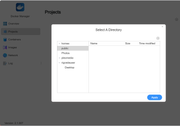
Navigate to Control Panel > Application Center > Settings.
Set the "Default installation path" to a non-Volume1 location (e.g., Volume3).
Install an application via the Application Center, such as Plex Media Server or Docker Manager.
After installation, check the target volume (e.g., via SSH: ls /Volume3/@apps) and compare with Volume1 (e.g., ls /Volume1/@apps or ls /Volume1).
Observe the creation of application-related folders (e.g., "Plex" shared folder for metadata/cache) on Volume1.
Expected Result
The Application Center should fully honor the user-selected default installation path. All application files, including binaries, metadata, databases, thumbnails, cache, and any dedicated shared folders (e.g., "Plex" for Plex Media Server), should be created and stored exclusively on the specified volume (e.g., Volume3/@apps or equivalent). This would allow users to manage storage allocation effectively across multiple volumes without unintended data placement on Volume1.
Actual Result
Despite setting the default installation path to Volume3, applications create data directories and shared folders on Volume1. For example:
Plex Media Server creates a "Plex" shared folder on Volume1 containing metadata and cache (e.g., /Volume1/Plex/Library/Application Support/Plex Media Server/).
Docker Manager installs files to /Volume1/@apps instead of /Volume3/@apps.
The target volume remains empty or unused for application data.
This behavior appears to stem from hardcoded paths in the TOS packaging or application integration, overriding user settings.
Visual Proof of Bug
Directory listing on Volume1 showing Plex data:
Empty target directory on Volume3:
This issue affects storage management in multi-volume configurations and limits user control over data placement. Thank you for investigating.
Model number: F5-221
OS: Not applicable (issue occurs within TOS web interface and system behavior)
Software version: TOS 7.0.0309
Rate of Reproduction: 100% (reproduced consistently during installations of Plex Media Server and Docker Manager)
Steps to Reproduce a Bug
Navigate to Control Panel > Application Center > Settings.
Set the "Default installation path" to a non-Volume1 location (e.g., Volume3).
Install an application via the Application Center, such as Plex Media Server or Docker Manager.
After installation, check the target volume (e.g., via SSH: ls /Volume3/@apps) and compare with Volume1 (e.g., ls /Volume1/@apps or ls /Volume1).
Observe the creation of application-related folders (e.g., "Plex" shared folder for metadata/cache) on Volume1.
Expected Result
The Application Center should fully honor the user-selected default installation path. All application files, including binaries, metadata, databases, thumbnails, cache, and any dedicated shared folders (e.g., "Plex" for Plex Media Server), should be created and stored exclusively on the specified volume (e.g., Volume3/@apps or equivalent). This would allow users to manage storage allocation effectively across multiple volumes without unintended data placement on Volume1.
Actual Result
Despite setting the default installation path to Volume3, applications create data directories and shared folders on Volume1. For example:
Plex Media Server creates a "Plex" shared folder on Volume1 containing metadata and cache (e.g., /Volume1/Plex/Library/Application Support/Plex Media Server/).
Docker Manager installs files to /Volume1/@apps instead of /Volume3/@apps.
The target volume remains empty or unused for application data.
This behavior appears to stem from hardcoded paths in the TOS packaging or application integration, overriding user settings.
Visual Proof of Bug
Directory listing on Volume1 showing Plex data:
Code: Select all
rigvedauser@TNAS:/Volume1/Plex# ls -l
total 0
drwxr-xr-x+ 1 plex plex 38 Dec 26 23:36 Library
drwxrwxr-x+ 1 plex plex 80 Dec 26 23:36 tmp_transcodingCode: Select all
rigvedauser@TNAS:/Volume3/@apps# ls
(empty)