[Help] F2 425 Plus : "failed to upload insufficient available space"
Posted: 25 Dec 2025, 22:44
Hello everyone
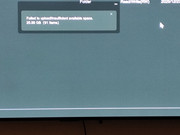
On my F2 425 plus I'm having the issue when trying to import files on a folder.
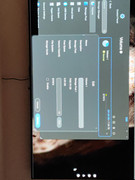
The folder is inside volume 1 that I created and there's over 7tb of free space on it. I have already managed to put 290gb of files on my NAS (see pictures),
I'm just drag and dropping from my PC to the NAS.
I have not enabled any quotas, so I don't understand where the lack of space is coming from. On the volume option I see free space : 0 why is that ? I cannot adjust volume capacity as it's greyed out
My system is on a 256gb nvme SSD
I'm an absolute beginner so I have no idea what to look for at this point
Much appreciated!
On my F2 425 plus I'm having the issue when trying to import files on a folder.
The folder is inside volume 1 that I created and there's over 7tb of free space on it. I have already managed to put 290gb of files on my NAS (see pictures),
I'm just drag and dropping from my PC to the NAS.
I have not enabled any quotas, so I don't understand where the lack of space is coming from. On the volume option I see free space : 0 why is that ? I cannot adjust volume capacity as it's greyed out
My system is on a 256gb nvme SSD
I'm an absolute beginner so I have no idea what to look for at this point
Much appreciated!