Page 1 of 1
[Help] USB backup task does not run
Posted: 13 Dec 2025, 00:50
by great0dane
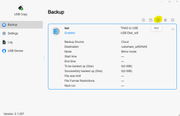
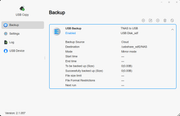
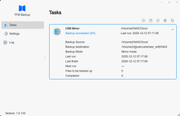
Running TOS 6.0.794, with D2-320 plug into F5-422. I create a backup task using USB Copy, but the task will not run. I can create a backup task in TFM Backup and it works ok. How can I get USB Copy to run?
Re: [Help] USB backup task does not run
Posted: 13 Dec 2025, 22:44
by TMLila
great0dane wrote: ↑13 Dec 2025, 00:50
Running TOS 6.0.794, with D2-320 plug into F5-422. I create a backup task using USB Copy, but the task will not run. I can create a backup task in TFM Backup and it works ok. How can I get USB Copy to run?
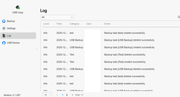
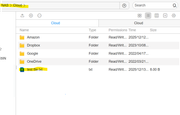
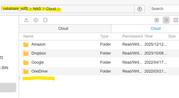
Hello! Thank you for contacting TerraMaster! Regarding the issue that the backup task created via the USB Copy function fails to run properly, based on the image you provided, you are also encountering a "0 files" situation when using TFM Backup. To pinpoint the cause more accurately, we first need to confirm the specific symptom of the USB Copy task's "failure to run": Does the task fail to start at all after you click to execute it, abort with an error during execution, or does the system prompt that the backup was successful but no backup data is found in the target storage location?
Re: [Help] USB backup task does not run
Posted: 14 Dec 2025, 01:38
by great0dane
Re: [Help] USB backup task does not run
Posted: 14 Dec 2025, 18:49
by TMbuddy
Hello, to more accurately identify and resolve the issue you are experiencing, please go to Logs > Settings > Export debug log, and send the log to us via online customer service or email. Our engineers will parse the log immediately upon receipt and analyze the cause of the issue as soon as possible to provide you with a specific solution. Thank you for your support and cooperation!