[Help] Share link to upload photos
Posted: 08 Dec 2025, 20:31
Hi
I had a F4-424 TOS 6.0.794-01324 with remote access by tnas.online activated.
My family recently celebrated my parents' birthday, and I need to create a space where everyone can upload their photos and download each other's. There are elderly people in the family, and I can't request them to install the app.
I uploaded my photos to a public folder with read and write permissions for all users, including the guest user.
In the Photos app, I selected the photos and created a link to share them externally with upload and download permisions enabled.
After sharing the link, when users use it, it is opened by the default Android browser. They have permission to download photos, but not to upload them. It happens the same if the link is opened using Chrome. (See screnshoot 1).

The upload button only appears if Chrome is configured in desktop compatibility mode, but then photo preview does not work, only an icon is showed (see screenshot 2).
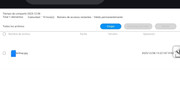
Proceeding in this way, when someone uploads a photo, two things happen:
- The link breaks and no one else can use it. After introduce the password they only can see a blank screen.
- The photo is uploaded to my user folder, not in the shared folder.
I have tried sharing the photos using the file manager, but:
- The link doesn't provide the option to upload files, even when opened with Chrome in desktop compatibility mode.
- If I share the entire folder instead of individual files, happens the same, and additionally they can't download the files individually.
How can I enable external users to download and upload files (mainly photos, but also other types) via a link without installing the app?
I had a F4-424 TOS 6.0.794-01324 with remote access by tnas.online activated.
My family recently celebrated my parents' birthday, and I need to create a space where everyone can upload their photos and download each other's. There are elderly people in the family, and I can't request them to install the app.
I uploaded my photos to a public folder with read and write permissions for all users, including the guest user.
In the Photos app, I selected the photos and created a link to share them externally with upload and download permisions enabled.
After sharing the link, when users use it, it is opened by the default Android browser. They have permission to download photos, but not to upload them. It happens the same if the link is opened using Chrome. (See screnshoot 1).
The upload button only appears if Chrome is configured in desktop compatibility mode, but then photo preview does not work, only an icon is showed (see screenshot 2).
Proceeding in this way, when someone uploads a photo, two things happen:
- The link breaks and no one else can use it. After introduce the password they only can see a blank screen.
- The photo is uploaded to my user folder, not in the shared folder.
I have tried sharing the photos using the file manager, but:
- The link doesn't provide the option to upload files, even when opened with Chrome in desktop compatibility mode.
- If I share the entire folder instead of individual files, happens the same, and additionally they can't download the files individually.
How can I enable external users to download and upload files (mainly photos, but also other types) via a link without installing the app?