[Help]How to set up f4 425 as separate disks
Posted: 16 Nov 2025, 17:26
Hi
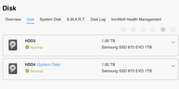
I just got a f4 425 and have two 1TB SSD drives installed. I cannot for the life of me see how to set it up as a multi-drive system - it just kept defaulting to RAID and showing two drives as a single volume.
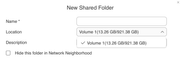
I have done the Storage Pool thing - eventually I reset the whole device and chose "expert" mode when it asked me which disk to use as the system disk - I specified one disk only. Now when booted it shows me two storage pools - one for each drive. But how do I get the two drives to appear as two separate volumes? I just want to go to Network on my Mac and see two network volumes available that I can use as separate drives. This must be possible? Any advice appreciated, thanks.
I just got a f4 425 and have two 1TB SSD drives installed. I cannot for the life of me see how to set it up as a multi-drive system - it just kept defaulting to RAID and showing two drives as a single volume.
I have done the Storage Pool thing - eventually I reset the whole device and chose "expert" mode when it asked me which disk to use as the system disk - I specified one disk only. Now when booted it shows me two storage pools - one for each drive. But how do I get the two drives to appear as two separate volumes? I just want to go to Network on my Mac and see two network volumes available that I can use as separate drives. This must be possible? Any advice appreciated, thanks.