Page 1 of 1
[Help] Phantom Directory
Posted: 05 Nov 2025, 02:56
by luismartin
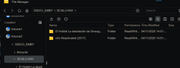
How can I delete a directory that doesn't exist on the disk?
No matter how many times I delete it, it reappears after a reboot, even after emptying the trash.
The directory is 3D BLURAY with 2 empty subdirectory.
Re: [Help] Phantom Directory
Posted: 05 Nov 2025, 15:03
by TMzethar
There are three possible guesses.
1. When you attempted to delete, the system was under high load and busy, so the deletion was not successfully executed.
2. File system error.(BTRFS/EXT4) Try to fix with this:
viewtopic.php?t=2575
3. Other users (if any) have restored snapshots that you may have taken previously.
If all of the above possibilities can be ruled out, we need more information to locate the problem. Please generate and download the system report package in TOS Desktop > Technical Support > Report Issues, then download and send it to our support mailbox for inspection. (Please attach the URL of this forum post.)
Re: [Help] Phantom Directory
Posted: 05 Nov 2025, 18:45
by luismartin
Thanks to support, TMzethar.
Regards