Page 1 of 1

[Help] [Hilfe] F4-424 MAX Installation of TOS 6.0.883 aborts at 60%

Posted: 10 Oct 2025, 02:07
by Takeiteasy
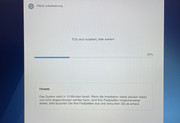
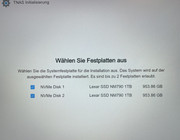
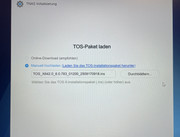
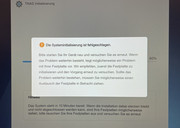
I am having a problem with my F4-424 MAX NAS, which was delivered today. I tried to set it up as described in the installation manual. To do this, I installed two 1TB Lexar NVME drives. These were immediately recognised and selected in the TNAS app during initialisation. I then selected the current TOS 6.0.783 image for installation. The NAS then starts the installation, but always stops at 60% with an error message saying that the NVME hard drives may be damaged and should be replaced. Since they are brand new, I am sure that they are fault-free. To check this, I formatted them completely and installed Windows 11 without any problems. I therefore suspect that the problem lies with the current TOS version. Unfortunately, I couldn't find the previous version to download for testing. How can I solve this problem as quickly as possible? Or is it unsolvable and I have to send the device back and choose another NAS provider? I've been using Synology up to now, but wanted to try something new. I didn't know there would be such big problems right from the start.

I apologise, my English isn't very good
Image

Image

Image

Image

Re: [Help] [Hilfe] F4-424 MAX Installation of TOS 6.0.883 aborts at 60%

Posted: 11 Oct 2025, 02:00
by Takeiteasy
Problem with initialisation and installation of TOS 6 solved. It was due to the TOS image, which did not load completely. After downloading it manually, the installation ran smoothly. The NVME NM790 1TB from Lexar runs smoothly, so it is compatible. However, I have noticed that apps download extremely slowly from the App Store. My internet connection is 350/100 Mbit, but the download speed for individual apps is only 100-200 Kbit, so it takes a very long time to install even one app.

Re: [Help] [Hilfe] F4-424 MAX Installation of TOS 6.0.883 aborts at 60%

Posted: 11 Oct 2025, 15:52
by TMzethar
Regarding the slow app download issue, it may be due to a poor connection between your location and the server. It could also be caused by other unknown reasons. You can try manually downloading the app from a PC browser using the link to see if the speed is the same. We have already sent some commonly used app links to your email.

Re: [Help] [Hilfe] F4-424 MAX Installation of TOS 6.0.883 aborts at 60%

Posted: 11 Oct 2025, 17:56
by Takeiteasy
Thank you for your quick response. Even downloading via browser was mostly limited to 50 kbit. Speed tests at Wieistmeineip and speedtest.net always showed around 300/90 Mbit. A test app download on my Synology NAS was fast. Test downloads on various websites also showed normal speeds of up to 300 Mbit.
Today, I started downloading an app from the App Store again, and it suddenly went very quickly. I hadn't changed anything, so I have no idea why it was so slow yesterday, but now everything is working fine. Thank you for sending me more apps via email. 🙂👍