[Help] Abnormal reboot of F6-424
Posted: 08 Oct 2025, 15:35
Hello, since mid-September I've been getting random and occasional reboots on my F6-424. I've had one on TOS_X642.0_6.0.770 (15 September) and two on TOS_X642.0_6.0.783 (27 September and 8 October). I'm not sure if there have been other instances before, but those are the email notifications I can find.
They happen randomly, when the NAS is not in active use.
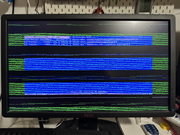
I can't find anything wrong, there are no power issues, and it didn't happen before the last update (as far as I can remember). I just get a notification that "TNAS was shut down abnormally". I assumed it's some kind of kernel panic but I can't find any logs. dmesg, last and journalctl (and really everything else in /var/log) only start from the reboot.
The NAS has 6 disks installed, and an official Terramaster 16 GB RAM stick. I don't have any additional apps enabled, just the stock ones; I had tried the Surveillance app but it doesn't work well with my Tapo cameras so I uninstalled it, and tried VirtualBox but also had some issues with it and decided to uninstall it as well.
The only maybe "odd" thing is that I use it as a destination for Time Machine backup (on a volume created on a USB disk) and lately Time Machine has been taking a long time to backup, but I'm not sure if that's related in any way. I'm using the default Backup app for that. Note that for some reason the Backup app does NOT show the Time Machine backups in the Backups List page, even though I'm using it to back up two Macs to it (and /Volume2/TimeMachine does have two .sparsebundle directories, one per computer). Still, that shouldn't lead to a kernel panic.
Note that earlier this summer, when I installed the 6th disk and upgraded the array from TRAID to TRAID+, a support call was needed via TeamViewer as TOS did not show the array as upgraded to TRAID+. It was sorted out by changing a flag on the array itself so it would show properly in the web interface, but it was a cosmetic bug as the array itself was effectively RAID6 already. All disks pass SMART and everything is within the expected range.
Is there anywhere else logs are saved persistently so I can check them to see what happened exactly, or do I just create /var/log/journal for systemd to write logs to? Right now journald.conf has storage=auto (it's actually commented out) but there's no log directory so it's only kept in memory.
Honestly this is making me quite uneasy about trusting the NAS (even though it's my second TerraMaster), as it really just shouldn't happen since it's pretty much a stock device.
Thanks in advance.
They happen randomly, when the NAS is not in active use.
I can't find anything wrong, there are no power issues, and it didn't happen before the last update (as far as I can remember). I just get a notification that "TNAS was shut down abnormally". I assumed it's some kind of kernel panic but I can't find any logs. dmesg, last and journalctl (and really everything else in /var/log) only start from the reboot.
The NAS has 6 disks installed, and an official Terramaster 16 GB RAM stick. I don't have any additional apps enabled, just the stock ones; I had tried the Surveillance app but it doesn't work well with my Tapo cameras so I uninstalled it, and tried VirtualBox but also had some issues with it and decided to uninstall it as well.
The only maybe "odd" thing is that I use it as a destination for Time Machine backup (on a volume created on a USB disk) and lately Time Machine has been taking a long time to backup, but I'm not sure if that's related in any way. I'm using the default Backup app for that. Note that for some reason the Backup app does NOT show the Time Machine backups in the Backups List page, even though I'm using it to back up two Macs to it (and /Volume2/TimeMachine does have two .sparsebundle directories, one per computer). Still, that shouldn't lead to a kernel panic.
Note that earlier this summer, when I installed the 6th disk and upgraded the array from TRAID to TRAID+, a support call was needed via TeamViewer as TOS did not show the array as upgraded to TRAID+. It was sorted out by changing a flag on the array itself so it would show properly in the web interface, but it was a cosmetic bug as the array itself was effectively RAID6 already. All disks pass SMART and everything is within the expected range.
Is there anywhere else logs are saved persistently so I can check them to see what happened exactly, or do I just create /var/log/journal for systemd to write logs to? Right now journald.conf has storage=auto (it's actually commented out) but there's no log directory so it's only kept in memory.
Honestly this is making me quite uneasy about trusting the NAS (even though it's my second TerraMaster), as it really just shouldn't happen since it's pretty much a stock device.
Thanks in advance.