Page 1 of 1
[Help] TNAS Mobile - F4-210 connection issue
Posted: 20 Sep 2025, 04:18
by alieno89
Hi everyone,
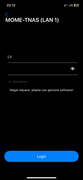
a couple of days ago I had some connection issues with my mobile app (iOS) called "TNAS mobile".
I wasn't able to reach my nas F4-210 (TOS 4.2.41-2203011629) outside my LAN.
I quick checked and it seems this app is no longer available into Apple App Store and the newest one does not support TOS 4 (I think that is the newest software supported by my F4-210).
There is something I can do to fix this uncomfortable situation?
Thank you in advance.
Re: [Help] TNAS Mobile - F4-210 connection issue
Posted: 20 Sep 2025, 04:32
by sianderson
you appear to be correct, the app is no longer available
https://apps.apple.com/app/id1244630532
i guess the old fashioned way of setting up FTP would be an option for you to access your files, or another way is if your router supports setting up a VPN you can connect to your router which then gives you direct network access using files just something to think about, maybe other people have other ideas?
i assume its possible to login via a webpage to access the files using tnas.online (i dont have mine set up as i use VPN so i have never tried to access them over the internet directly)
Re: [Help] TNAS Mobile - F4-210 connection issue
Posted: 20 Sep 2025, 13:50
by alieno89
I think you’re totally right unfortunately…
You could explain me the FTP way like a noob?

Is it possible by an app easy to manage everyday?
Thank you so much.
Re: [Help] TNAS Mobile - F4-210 connection issue [SOLVED]
Posted: 20 Sep 2025, 20:42
by sianderson
FTP is File Transfer Protocol, its one of earliest forms of data transfer over the internet, HTTP is used for websites, FTP was used for files
so you can configure the NAS to enable FTP, you can then change your router to forward the required FTP ports 20 / 21 etc to your NAS drive
this then opens up access for anyone with a username and password to access the files on your nas drive (so make sure your accounts / passwords are secure)
then on your phone you can an app like OwlFiles and set it up to connect to your home routers IP via FTP giving the app the username and password to use and you should then be able to access your files over the internet on your phone