[Help] HDMI not working on F4 424 when trying to access bios?
Posted: 02 Aug 2025, 22:57
I have just got my F4 424 and I was hoping to put another OS on it, however for some reason I cannot seem to access/see the bios.
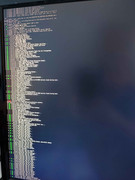
If I were to let the NAS boot up normally I get HDMI output shown after it starts doing the linux command line setup phase, so I get to see all the commands being run and setup etc, however I do not seem to get any HDMI output from boot so I have no idea if I am getting into the BIOS or not.
Information online seems to indicate I should be repeatedly pressing one of the following [escape, delete, F2, F8] to get into the bios, I have tried each one individually and waited a good 30 seconds doing it, I have tried pressing variations etc it seems to stop booting when pressing escape/delete but I never actually see the bios so cant do anything.
Can anyone advise if I need to do anything special to be able to have HDMI working when accessing the bios and confirm what key it is I should be using to enter bios settings?
(The HDMI signal does work on normal boot so I know the cable/monitor is fine and I have tried 2 different cables, both of which work with other devices on that monitor, also I have 1 keyboard plugged into the USB slot and 1 LAN cable plugged in, and the HDMI obviously).
Any help would be great.
If I were to let the NAS boot up normally I get HDMI output shown after it starts doing the linux command line setup phase, so I get to see all the commands being run and setup etc, however I do not seem to get any HDMI output from boot so I have no idea if I am getting into the BIOS or not.
Information online seems to indicate I should be repeatedly pressing one of the following [escape, delete, F2, F8] to get into the bios, I have tried each one individually and waited a good 30 seconds doing it, I have tried pressing variations etc it seems to stop booting when pressing escape/delete but I never actually see the bios so cant do anything.
Can anyone advise if I need to do anything special to be able to have HDMI working when accessing the bios and confirm what key it is I should be using to enter bios settings?
(The HDMI signal does work on normal boot so I know the cable/monitor is fine and I have tried 2 different cables, both of which work with other devices on that monitor, also I have 1 keyboard plugged into the USB slot and 1 LAN cable plugged in, and the HDMI obviously).
Any help would be great.