[Help] D4-320 Failing To Register Drive on Linux
Posted: 19 May 2025, 22:19
I bought a D4-320 Enclosure recently intending it to be used with Ubuntu Server 24.04.2 LTS (Kernel version: 6.8.0-60-generic)
I am however at a point where I am at a loss what to do next.
I have 4 x drives.. 2 x Western Digital and 2 x Seagate
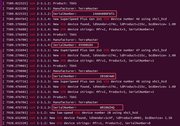
When it's working.. dmesg clearly shows that the drive is recognised with an assigned drive (e.g. /dev/sdf):
[ 4991.558657] usb 2-3.1.4: Product: TDAS
[ 4991.558665] usb 2-3.1.4: Manufacturer: TerraMaster
[ 4991.558672] usb 2-3.1.4: SerialNumber: ZL2HB6XD
[ 4991.567223] scsi host6: uas
[ 4991.568640] scsi 6:0:0:0: Direct-Access TerraMas TDAS 0 PQ: 0 ANSI: 6
[ 4991.571927] sd 6:0:0:0: Attached scsi generic sg5 type 0
[ 4991.588558] sd 6:0:0:0: [sdf] 31251759104 512-byte logical blocks: (16.0 TB/14.6 TiB)
[ 4991.588571] sd 6:0:0:0: [sdf] 4096-byte physical blocks
[ 4991.588729] sd 6:0:0:0: [sdf] Write Protect is off
[ 4991.588738] sd 6:0:0:0: [sdf] Mode Sense: 43 00 00 00
[ 4991.589009] sd 6:0:0:0: [sdf] Write cache: enabled, read cache: enabled, doesn't support DPO or FUA
[ 4991.615888] sd 6:0:0:0: [sdf] Preferred minimum I/O size 4096 bytes
[ 4991.615899] sd 6:0:0:0: [sdf] Optimal transfer size 33553920 bytes not a multiple of preferred minimum block size (4096 bytes)
[ 4991.622977] sd 6:0:0:0: [sdf] Attached SCSI disk
But when it FAILS.. , i simply get
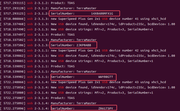
[ 6462.983425] usb 2-3.1.4: new SuperSpeed USB device number 10 using xhci_hcd
[ 6473.269971] usb 2-3.1.4: New USB device found, idVendor=174c, idProduct=235c, bcdDevice= 1.00
[ 6473.269994] usb 2-3.1.4: New USB device strings: Mfr=2, Product=3, SerialNumber=1
[ 6473.270005] usb 2-3.1.4: Product: TDAS
[ 6473.270012] usb 2-3.1.4: Manufacturer: TerraMaster
[ 6478.390431] usb 2-3.1.4: can't set config #1, error -110
The 2 x Western Digital drives are recognised fine most of the time on connect/disconnect (say 8 out of 10 times).
But the 2 x Seagate drives fails with above "can't set config #1" error 9 out of 10 times.
Sometimes, a complete reboot of the server works. But most of the time.. the Seagate enterprise drives are not recognised.
I have done the rounds with support and getting nowhere:
1. Cable -> I am using the original USB-C to USB-C cable, and have tried USB-A to USB-C cable. Same error
2. Windows -> I have tried connecting to Windows server. It works in Windows (drive recognised in disk management, drive letter assigned)
3. Slots -> I have tried different slots. It makes no difference.
4. HDD Problem -> All disks work fine with a cheap Ugreen 5G USB adapter. It's not the HDD
5. Chipset driver -> I've been asked to "update" to latest chipset driver. But chipset driver is part of the LInux kernel. I have tried with latest Linux Kernel on Arch Linux desktop (Kernel version 6.14.5-3), and the same error still occurs
This to me is a compatibility issue with Linux and the firmware in D4-320.
Is anyone else having this problem?
I am however at a point where I am at a loss what to do next.
I have 4 x drives.. 2 x Western Digital and 2 x Seagate
When it's working.. dmesg clearly shows that the drive is recognised with an assigned drive (e.g. /dev/sdf):
[ 4991.558657] usb 2-3.1.4: Product: TDAS
[ 4991.558665] usb 2-3.1.4: Manufacturer: TerraMaster
[ 4991.558672] usb 2-3.1.4: SerialNumber: ZL2HB6XD
[ 4991.567223] scsi host6: uas
[ 4991.568640] scsi 6:0:0:0: Direct-Access TerraMas TDAS 0 PQ: 0 ANSI: 6
[ 4991.571927] sd 6:0:0:0: Attached scsi generic sg5 type 0
[ 4991.588558] sd 6:0:0:0: [sdf] 31251759104 512-byte logical blocks: (16.0 TB/14.6 TiB)
[ 4991.588571] sd 6:0:0:0: [sdf] 4096-byte physical blocks
[ 4991.588729] sd 6:0:0:0: [sdf] Write Protect is off
[ 4991.588738] sd 6:0:0:0: [sdf] Mode Sense: 43 00 00 00
[ 4991.589009] sd 6:0:0:0: [sdf] Write cache: enabled, read cache: enabled, doesn't support DPO or FUA
[ 4991.615888] sd 6:0:0:0: [sdf] Preferred minimum I/O size 4096 bytes
[ 4991.615899] sd 6:0:0:0: [sdf] Optimal transfer size 33553920 bytes not a multiple of preferred minimum block size (4096 bytes)
[ 4991.622977] sd 6:0:0:0: [sdf] Attached SCSI disk
But when it FAILS.. , i simply get
[ 6462.983425] usb 2-3.1.4: new SuperSpeed USB device number 10 using xhci_hcd
[ 6473.269971] usb 2-3.1.4: New USB device found, idVendor=174c, idProduct=235c, bcdDevice= 1.00
[ 6473.269994] usb 2-3.1.4: New USB device strings: Mfr=2, Product=3, SerialNumber=1
[ 6473.270005] usb 2-3.1.4: Product: TDAS
[ 6473.270012] usb 2-3.1.4: Manufacturer: TerraMaster
[ 6478.390431] usb 2-3.1.4: can't set config #1, error -110
The 2 x Western Digital drives are recognised fine most of the time on connect/disconnect (say 8 out of 10 times).
But the 2 x Seagate drives fails with above "can't set config #1" error 9 out of 10 times.
Sometimes, a complete reboot of the server works. But most of the time.. the Seagate enterprise drives are not recognised.
I have done the rounds with support and getting nowhere:
1. Cable -> I am using the original USB-C to USB-C cable, and have tried USB-A to USB-C cable. Same error
2. Windows -> I have tried connecting to Windows server. It works in Windows (drive recognised in disk management, drive letter assigned)
3. Slots -> I have tried different slots. It makes no difference.
4. HDD Problem -> All disks work fine with a cheap Ugreen 5G USB adapter. It's not the HDD
5. Chipset driver -> I've been asked to "update" to latest chipset driver. But chipset driver is part of the LInux kernel. I have tried with latest Linux Kernel on Arch Linux desktop (Kernel version 6.14.5-3), and the same error still occurs
This to me is a compatibility issue with Linux and the firmware in D4-320.
Is anyone else having this problem?