Page 1 of 1
[Help] Docker Engine keeps shutting down silently
Posted: 12 Apr 2025, 01:39
by AES
Docker Engine keeps shutting down silently.
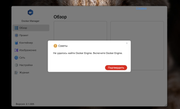
Nothing works. No notifications about Docker / Docker Engine shutdowns come, but tons of spam from indexed files have flooded all mail. Are you okay? The question is rhetorical. Obviously, nothing is okay.
Code: Select all
level	time	category	user	event
Info	2025-03-14 20:03:22	Install	Anton	Приложение установлено.(Snapshot)
Info	2025-03-27 16:45:26	Update	Anton	Приложение обновлено.(Photos)
Info	2025-04-10 23:38:11	Start	Anton	Приложение включено.(Docker Engine)
Info	2025-04-10 23:56:43	Start	Anton	Приложение включено.(Docker Engine)
Info 2025-04-11 20:40:19 Start Anton Приложение включено.(Docker Engine)
The logbook is just brilliant. How did you even come up with this product?
Re: [Help] Docker Engine keeps shutting down silently
Posted: 12 Apr 2025, 15:42
by EthanLiu
AES wrote: ↑12 Apr 2025, 01:39
Based on the information you provided, we initially assess that the excessive system resource usage on your device may have led to the automatic shutdown of the Docker Engine service by the system.
Should you encounter the issue of the Docker Engine service stopping abnormally again, please follow these steps:
1.Ensure Service Restart: First, attempt to restart the Docker Engine service and confirm that it is running properly.
2.Await Problem Recurrence: After the Docker Engine service stops abnormally again, execute the following commands to collect relevant logs.
3.Log Collection and Submission: Run the following commands in sequence, package the corresponding log files, and send them to our technical support email address so that we can analyze the cause of the issue based on the logs.
Code: Select all
#Export TOSDaemon service logs to the specified path
journalctl -u TOSDaemon.service > /Volume1/public/TOSDaemon.txt

#Copy system message logs to the specified path (add the -p parameter or compress manually if you need to preserve the directory structure)
cp -r /var/log/messages /Volume1/public/

#Export DockerEngine service logs to the specified path
journalctl -u DockerEngine.service > /Volume1/public/DockerEngine.txt
Note: First, ensure the application is normally enabled. After discovering that the application has been inexplicably disabled, execute these three commands and send the logs to us.
Thank you for your cooperation! We will promptly identify the issue and provide a solution based on the logs you provide.
Re: [Help] Docker Engine keeps shutting down silently
Posted: 12 Apr 2025, 17:00
by AES
Where in the description of your product is it written that in order for something to work on it, you need to be a programmer, go into the console and trace errors. Because even the log collection system is not implemented.
https://www.terra-master.com/ru/products/f8-ssd.html
Re: [Help] Docker Engine keeps shutting down silently
Posted: 12 Apr 2025, 18:01
by EthanLiu
AES wrote: ↑12 Apr 2025, 17:00
We sincerely apologize for the inconvenience you've experienced. Regarding the issue you described, our team has been unable to reproduce it in our lab environment, and similar reports have been relatively rare. Currently, we are actively enhancing our logging mechanism to enable more precise issue identification and resolution. Based on the circumstances you've outlined, multiple factors contributed to the application suspension, which led us to recommend the aforementioned solution in hopes of resolving your issue promptly.
Re: [Help] Docker Engine keeps shutting down silently
Posted: 20 May 2025, 20:29
by DVN
I have same problem.
A have F4-233
TOS 6.0.673-00165
Docker engine shutdown periodical.
How i can get the system log and view the reason of this event ?
I need to use terminal connection to tos ?
Re: [Help] Docker Engine keeps shutting down silently
Posted: 21 May 2025, 12:19
by EthanLiu
DVN wrote: ↑20 May 2025, 20:29
You can refer to the commands in the aforementioned post and export the required logs by following the corresponding steps. This can be done either through the terminal command line or by using the Terminal application located in "All Apps" on the desktop.