Page 1 of 3
[Help] Plex wont Enable After Update
Posted: 04 Mar 2025, 11:27
by plexjellyfin
For context I did TOS software update currently running 6.0.648-00165
Plex wont enable from the setting
Uninstalled and installed still same issue
rebooted TOS still same issue
Downloaded tpk from Plex website still same issue
Re: [Help] Plex wont Enable After Update
Posted: 04 Mar 2025, 11:29
by plexjellyfin
Re: [Help] Plex wont Enable After Update
Posted: 04 Mar 2025, 12:47
by TMzethar
The Plex website currently does not offer a dedicated Plex app for TOS6. Please use the version provided by the APP Center.
If your previous TOS version was TOS5, please note that the permission mechanism differs in TOS6. You need to provide 'application permissions' for each folder retrieved by Plex.
(Control Panel - Shared Folders - Edit - Permissions - User Permissions)
If you encounter other issues, this might help you:
viewtopic.php?t=4772
Re: [Help] Plex wont Enable After Update
Posted: 06 Mar 2025, 12:52
by plexjellyfin
I was running the latest TOS 6 the issue occurred after the latest update. Plex application was working perfectly before then. The instructions you sent did not work
Re: [Help] Plex wont Enable After Update
Posted: 06 Mar 2025, 14:22
by TMzethar
May I ask which version of the TOS you were using before the update? Perhaps you might consider contacting the official website's customer service or technical support email to schedule a time for an engineer to remotely troubleshoot for you.
Re: [Help] Plex wont Enable After Update
Posted: 06 Mar 2025, 21:16
by plexjellyfin
the version right before this one 6.0.648-00165
so I assume this was a incremental fix update but it clearly broke something in my setup
Re: [Help] Plex wont Enable After Update
Posted: 07 Mar 2025, 00:00
by plexjellyfin
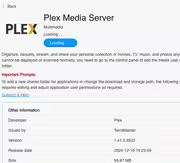
1.41.4.9463-630c9f557
Plex Media Server
TNAS F6-424 Max
Linux TOS 6.0.610-00165
this was the version I was running 3 days ago before I updated TOS
Re: [Help] Plex wont Enable After Update
Posted: 07 Mar 2025, 12:03
by TMzethar
The APP Center has a new update for the Plex Media Server app. Please try it out.
If the issue persists, please contact the official website's customer service or technical support to schedule an engineer for a remote inspection of the problem.
Re: [Help] Plex wont Enable After Update
Posted: 14 Mar 2025, 22:16
by StephenNaylor
I've also updated Plex on my F5-F22 running ToS 6.0.610 in the last few days.
I had the version of Plex installed from the App Center. It was working fine before I updated it. I logged onto my NAS the other day and noted that the App Center said that there was an update for Plex.
Updated it via the app center. New version is 1.41.5.9545.
Plex will no longer enable.
I've updated the NAS version of TOS to 6.0.648 and then 6.0.650 to bring the NAS up to date. Plex still won't start
I've uninstalled (leaving the configuration alone) and reinstalled plex via the app center.
Plex still won't start
I've had this issue every time i've tried to update plex after installing ToS 6. The fix seems to be to delete or rename the plex folder. I haven't tried that yet this time though.
I've noted that:
1. The Application User permissions for the "plex" user have been removed from the "Plex" folder. I've added back the read/write permission but still Plex won't start.
My suspicion is that the plex user has been removed and recreated (presumably by the plex upgrade) and so has lost all its permissions. I want to check the plex permissions on my Shares but after updating the plex user permissions the NAS is saying it is sluggish and is not responding. I'll report back later with any further findings.
Re: [Help] Plex wont Enable After Update
Posted: 14 Mar 2025, 23:31
by StephenNaylor
My system has regained some of it's responsiveness. I can see that the plex user no longer has permissions on two of my media shares, whilst on a third share its read / write permission was still there. I have re-applied the missing permissions. Plex still won't start.