TOS 6.0.648 (X86) is Released for Update
Posted: 25 Feb 2025, 11:02
Target Users:
Users currently running TOS 6.0.500 or later versions.
Note: If your TOS version does not meet the requirements, please first check the update conditions for TOS 6.0.530.
Here, we sincerely thank users Mike2882, DekkaR, fcs001fcs, R1cheh, jhnbrg, Ranger21, kai, mmalchuk, StephenNaylor, benom, BerniBoy, Lau6311, dodusman58, True1Santony, rfbjr, and others, for their sharing and feedback. It is your support that has enabled us to quickly identify and resolve some issues.
This version:
Update Notes
Bugs fixed:
1. Fixed the issue that uploading abnormal certificates might cause the system to fail to start properly after reboot.
2. Fixed the issue that some domains (including the 2025 AD domain) could not be joined normally.
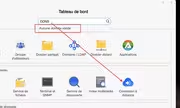
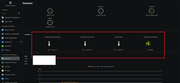
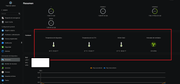
3. Fixed the issue that firewall, resource monitoring, and file management pages displayed abnormally.
4. Fixed some issues with file sharing functionality in Photos.
5. Fixed some issues with ISO shared folders.
6. Fixed the issue that some files might appear gray after transferring via SMB on macOS.
7. Fixed the issue that the beeper did not continuously emit warning sounds during SSD cache errors.
8. Fixed the issue that recently accessed application icons showed blank after volume deletion.
9. Fixed the issue that update packages could not be automatically downloaded.
10. Fixed some issues with remote folder.
11. Fixed some issues with SPC-related functions.
12. Fixed some issues with storage pool and volume.
13. Fixed some issues with virtual disks.
14. Fixed some issues with media index.
15. Fixed some issues with file manager.
16. Fixed some issues with the App Center.
17. Fixed some issues with system configuration.
18. Fixed some issues with notifications.
19. Fixed some issues with disk.
20. Fixed some issues with network.
What is new:
1.Optimized the email delivery mechanism.
2.Optimized the UPS connection mechanism.
3.Optimized the DDNS update policy.
Important Information:
1.Updating the system theoretically will not affect the data on your hard drives, but for safety, please make sure to back up your data in advance.
2.Before updating, ensure that your primary volume (usually volume1) has at least 3GB of available space. Insufficient storage space may cause the update to fail.
3.After the update, the IP address of your TNAS may change. Please use the TNAS PC desktop client to search for and reconnect to the device.
Update Procedure:
1.Go to TOS > Control Panel > General Settings > System > Update, and click "Check for updates."
2.Follow the prompts to update the system.
3.After the system update is complete, you may need to refresh your browser.
4.The TNAS IP address may change after the update. If you cannot connect to your TNAS using the previous IP address, use the TNAS PC client to search for the new IP address.
Other Software Downloads:
Download TNAS PC 5.2.003 for Windows OS:
https://download3.terra-master.com/Apps ... .2.021.exe
Download TNAS PC 5.1.202 for macOS (x86 and ARM architecture):
https://download3.terra-master.com/Apps ... .1.202.pkg
Download TNAS PC 5.1.202 for macOS (ARM architecture):
https://download3.terra-master.com/Apps ... .1.202.pkg
Download TNAS Mobile 3.3.027 for Android:
https://download2.terra-master.com/TNAS ... .3.027.apk
TNAS Mobile for iOS: Download from the iOS App Store.
Users currently running TOS 6.0.500 or later versions.
Note: If your TOS version does not meet the requirements, please first check the update conditions for TOS 6.0.530.
Here, we sincerely thank users Mike2882, DekkaR, fcs001fcs, R1cheh, jhnbrg, Ranger21, kai, mmalchuk, StephenNaylor, benom, BerniBoy, Lau6311, dodusman58, True1Santony, rfbjr, and others, for their sharing and feedback. It is your support that has enabled us to quickly identify and resolve some issues.
This version:
Update Notes
Bugs fixed:
1. Fixed the issue that uploading abnormal certificates might cause the system to fail to start properly after reboot.
2. Fixed the issue that some domains (including the 2025 AD domain) could not be joined normally.
3. Fixed the issue that firewall, resource monitoring, and file management pages displayed abnormally.
4. Fixed some issues with file sharing functionality in Photos.
5. Fixed some issues with ISO shared folders.
6. Fixed the issue that some files might appear gray after transferring via SMB on macOS.
7. Fixed the issue that the beeper did not continuously emit warning sounds during SSD cache errors.
8. Fixed the issue that recently accessed application icons showed blank after volume deletion.
9. Fixed the issue that update packages could not be automatically downloaded.
10. Fixed some issues with remote folder.
11. Fixed some issues with SPC-related functions.
12. Fixed some issues with storage pool and volume.
13. Fixed some issues with virtual disks.
14. Fixed some issues with media index.
15. Fixed some issues with file manager.
16. Fixed some issues with the App Center.
17. Fixed some issues with system configuration.
18. Fixed some issues with notifications.
19. Fixed some issues with disk.
20. Fixed some issues with network.
What is new:
1.Optimized the email delivery mechanism.
2.Optimized the UPS connection mechanism.
3.Optimized the DDNS update policy.
Important Information:
1.Updating the system theoretically will not affect the data on your hard drives, but for safety, please make sure to back up your data in advance.
2.Before updating, ensure that your primary volume (usually volume1) has at least 3GB of available space. Insufficient storage space may cause the update to fail.
3.After the update, the IP address of your TNAS may change. Please use the TNAS PC desktop client to search for and reconnect to the device.
Update Procedure:
1.Go to TOS > Control Panel > General Settings > System > Update, and click "Check for updates."
2.Follow the prompts to update the system.
3.After the system update is complete, you may need to refresh your browser.
4.The TNAS IP address may change after the update. If you cannot connect to your TNAS using the previous IP address, use the TNAS PC client to search for the new IP address.
Other Software Downloads:
Download TNAS PC 5.2.003 for Windows OS:
https://download3.terra-master.com/Apps ... .2.021.exe
Download TNAS PC 5.1.202 for macOS (x86 and ARM architecture):
https://download3.terra-master.com/Apps ... .1.202.pkg
Download TNAS PC 5.1.202 for macOS (ARM architecture):
https://download3.terra-master.com/Apps ... .1.202.pkg
Download TNAS Mobile 3.3.027 for Android:
https://download2.terra-master.com/TNAS ... .3.027.apk
TNAS Mobile for iOS: Download from the iOS App Store.