Page 1 of 1
f4-424 max Disks not sleeps
Posted: 16 Jan 2025, 03:20
by fr3sh
I see strange behavior in my NAS. Every five seconds disks are workinng "making a little noise scratching" I dont think its standard bahavior they should sleep. I set a sleep after 10 min with no results. In my TOS6 i have instaled a docker, portainer, plex and so on but they should not involve with disks i think. Can anyone help?
Re: f4-424 max Disks not sleeps
Posted: 16 Jan 2025, 18:16
by TMroy
Try to disable your installed apps to troubleshoot your hard disk sleeping issue.
Re: f4-424 max Disks not sleeps
Posted: 16 Jan 2025, 18:58
by Bato
fr3sh wrote: ↑16 Jan 2025, 03:20
I see strange behavior in my NAS. Every five seconds disks are workinng "making a little noise scratching" I dont think its standard bahavior they should sleep. I set a sleep after 10 min with no results. In my TOS6 i have instaled a docker, portainer, plex and so on but they should not involve with disks i think. Can anyone help?
This is a bug that has also happened to me.
If you format the volume in EXT4 the disks do not go to sleep. However, if you format it in BTRFS they do go to sleep.
Re: f4-424 max Disks not sleeps
Posted: 16 Jan 2025, 20:10
by Gremlin
Which drives are enabled as "system disk"? {Control Panel > Disk > Disk}
Re: f4-424 max Disks not sleeps
Posted: 16 Jan 2025, 21:05
by EthanLiu
In the TOS5 system, all disks are considered "system disks".
If your system is TOS 6, the system disk will be set according to your choice. You can check which disks are marked as system disks through the Control Panel - Storage - Disks.
Re: f4-424 max Disks not sleeps
Posted: 16 Jan 2025, 21:22
by Gremlin
I know that, thank you. I was hoping the other posters would enlighten us as to their own situations to make a comparison. (In that 'system disks' are less likely to sleep which is one reason more experienced users will designate nvme for specific system disk usage.)
Re: f4-424 max Disks not sleeps
Posted: 17 Jan 2025, 06:20
by fr3sh
Gremlin wrote: ↑16 Jan 2025, 20:10
Which drives are enabled as "system disk"? {Control Panel > Disk > Disk}
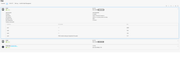
Only NVME drive are system

Re: f4-424 max Disks not sleeps
Posted: 18 Jan 2025, 05:33
by fr3sh
Bato wrote: ↑16 Jan 2025, 18:58
fr3sh wrote: ↑16 Jan 2025, 03:20
I see strange behavior in my NAS. Every five seconds disks are workinng "making a little noise scratching" I dont think its standard bahavior they should sleep. I set a sleep after 10 min with no results. In my TOS6 i have instaled a docker, portainer, plex and so on but they should not involve with disks i think. Can anyone help?
This is a bug that has also happened to me.
If you format the volume in EXT4 the disks do not go to sleep. However, if you format it in BTRFS they do go to sleep.
I have BTRFS....
Re: f4-424 max Disks not sleeps
Posted: 18 Jan 2025, 19:30
by fr3sh
Guys what should I check next disk are not spinning but the scratching is still occurs
Re: f4-424 max Disks not sleeps
Posted: 21 Jan 2025, 06:46
by fr3sh
TMroy wrote: ↑16 Jan 2025, 18:16
Try to disable your installed apps to troubleshoot your hard disk sleeping issue.
Your colleague from work 'live chat' sent me this link:
viewtopic.php?t=473
Thank you Mike.
I have installed a docker, plex and other from your list. I'm wondering is there a way to set this aplications to do the SWAP ect. on SYSTEM DISK not on btrfs disk? I belive this supose to be standard to be able to sleep the disks?