Understand TOS File System Configuration (WebUI)
Posted: 16 Jan 2025, 03:04
Hello,
I am struggling to understand the TOS file system details while looking at it from the File Manager.
I have two Volumes 1&2.
The file manager only shows one, Volume2, which is a TRAID.
Volume1 is a RAID1 build of two SSDs that hosts the system drives as well.
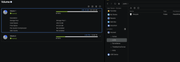
As admin on Linux you should be able to do anything on the file system. I am familiar with Linux systems, but TOS surprises me a lot with these kind of things.
What is the reason that I can't access Volume1 through the file manager?
It was showing initially after install. I have no idea what triggered its disappearance.
There are no hints in the documentation.
https://toshelp.terra-master.com/web/#/en/file_manage
While logging in via ssh I can see everything.
Thanks
Thorsten
I am struggling to understand the TOS file system details while looking at it from the File Manager.
I have two Volumes 1&2.
The file manager only shows one, Volume2, which is a TRAID.
Volume1 is a RAID1 build of two SSDs that hosts the system drives as well.
As admin on Linux you should be able to do anything on the file system. I am familiar with Linux systems, but TOS surprises me a lot with these kind of things.
What is the reason that I can't access Volume1 through the file manager?
It was showing initially after install. I have no idea what triggered its disappearance.
There are no hints in the documentation.
https://toshelp.terra-master.com/web/#/en/file_manage
While logging in via ssh I can see everything.
Thanks
Thorsten