Found someone logged into your system via SSH connection
Posted: 24 Dec 2024, 18:34
Hello,
I am receiving since yesterday these kind of emails (4 so far).
Found someone logged into your system via SSH connection. Login time: 2024-12-24 08:53:40 , IP: 127.0.0.1 --help
Once I first saw it I changed my password from 12 length to 18 length and not saved it in any electronic form. I was skeptical initially since it could be my personal computer in which I'm doing SCP (password I type each time and I didn't have it saved. I had previously only saved password in TOS on chrome). Anyhow, since I saw the emails, I deactivated SSH, changed the password to 18 length and even rebooted the TNAS to force out anyone that might be there (eventhough the system log didn't show any login activity).
However, today again I received above email that someone logged in via SSH. I know for sure that at this time I didn't do any SFTP/SCP or checked my files. Only my daughter was watching on PLEX some movies. I tried SSH from my mobile and I could successfuly do it. I logged in TOS and deactivated SFTP also which forcefully disconnected my mobile. But like this I can no longer reach my files via SFTP and this was something I needed.
So, my questions....
- Was this a real security threat? Even after changing the pasword to something super strong (small letters,capitals,numbers,special characters - 18 long) and not even saving it but only have it in my mind.... did someone so fast managed to enter my TOS?
- IP is localhost(127.0.0.1), so what does this mean? that someone is from TNAS internal was doing SSH to TNAS? Or could it be an application-virus that does this? But how can an application successfully do SSH with an unknown/new password?
- My personal PC was even turned off during time of latest event, so it isn't possible that someone did something using my PC as hop to my NAS
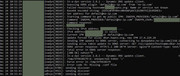
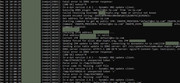
- Or, is it a bug of the system and these are faulty alerts? Sytem log only shows my connections and actions. Nothing I don't recognize.
Please tell me what I can do to secure myself and also keep SFTP possibility.
I have suffered a lot from hackers last year and I don't want history to repeat itself.
I am receiving since yesterday these kind of emails (4 so far).
Found someone logged into your system via SSH connection. Login time: 2024-12-24 08:53:40 , IP: 127.0.0.1 --help
Once I first saw it I changed my password from 12 length to 18 length and not saved it in any electronic form. I was skeptical initially since it could be my personal computer in which I'm doing SCP (password I type each time and I didn't have it saved. I had previously only saved password in TOS on chrome). Anyhow, since I saw the emails, I deactivated SSH, changed the password to 18 length and even rebooted the TNAS to force out anyone that might be there (eventhough the system log didn't show any login activity).
However, today again I received above email that someone logged in via SSH. I know for sure that at this time I didn't do any SFTP/SCP or checked my files. Only my daughter was watching on PLEX some movies. I tried SSH from my mobile and I could successfuly do it. I logged in TOS and deactivated SFTP also which forcefully disconnected my mobile. But like this I can no longer reach my files via SFTP and this was something I needed.
So, my questions....
- Was this a real security threat? Even after changing the pasword to something super strong (small letters,capitals,numbers,special characters - 18 long) and not even saving it but only have it in my mind.... did someone so fast managed to enter my TOS?
- IP is localhost(127.0.0.1), so what does this mean? that someone is from TNAS internal was doing SSH to TNAS? Or could it be an application-virus that does this? But how can an application successfully do SSH with an unknown/new password?
- My personal PC was even turned off during time of latest event, so it isn't possible that someone did something using my PC as hop to my NAS
- Or, is it a bug of the system and these are faulty alerts? Sytem log only shows my connections and actions. Nothing I don't recognize.
Please tell me what I can do to secure myself and also keep SFTP possibility.
I have suffered a lot from hackers last year and I don't want history to repeat itself.