Issue with Booting from NVMe After Installing TOS on Fresh Drive
Posted: 05 Dec 2024, 13:29
Hello,
I have a F4-423 with TOS 6 installed on a TRAID+ array with 4 HDDs. I recently purchased a new NVMe drive to install the system on. Here are the steps I followed:
1. Installed the NVMe drive.
2. Unplugged all the HDDs.
3. Installed TOS on the NVMe drive.
4. Rebooted and changed the boot priority in BIOS to boot from the NVMe.
After these steps, TOS runs from the NVMe without any issues. However, when I reconnect the old HDDs with the TRAID array, the system always boots from the HDD, regardless of what I select in the BIOS boot order.
My goal is to boot and use the fresh system from the NVMe drive while preserving my data on the TRAID array. Is there a way to fix this issue?
Thank you for your help!
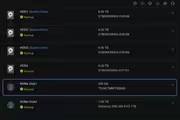
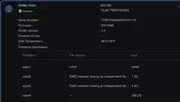
I have a F4-423 with TOS 6 installed on a TRAID+ array with 4 HDDs. I recently purchased a new NVMe drive to install the system on. Here are the steps I followed:
1. Installed the NVMe drive.
2. Unplugged all the HDDs.
3. Installed TOS on the NVMe drive.
4. Rebooted and changed the boot priority in BIOS to boot from the NVMe.
After these steps, TOS runs from the NVMe without any issues. However, when I reconnect the old HDDs with the TRAID array, the system always boots from the HDD, regardless of what I select in the BIOS boot order.
My goal is to boot and use the fresh system from the NVMe drive while preserving my data on the TRAID array. Is there a way to fix this issue?
Thank you for your help!