Page 1 of 1
How can I backup (downlod) my Google Photos to my Terramaster?
Posted: 17 Oct 2024, 09:29
by CapCaveman
Hello, I have a F2-421 with TOS 4.2.44
How can I download my google photos and back them up in the Terramaster? I tried Google Drive sync, but it only shows my drive folders. I would like to backup periodically my Google Photos.
Thanks.
Re: How can I backup (downlod) my Google Photos to my Terramaster?
Posted: 17 Oct 2024, 12:16
by TMzethar
Sorry, it's currently unsupported. It's separate from Google Drive.
Re: How can I backup (downlod) my Google Photos to my Terramaster?
Posted: 21 Oct 2024, 21:31
by CapCaveman
Nevermind, found a solution for TOS 4.x. Hope It helps anyone:
1. Use Google Takeout to download all your current images
https://takeout.google.com/. Save them in your NAS.
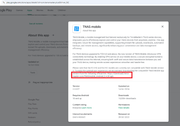
2. Reading the TNAS Mobile info on Google Store, I noticed that you need an older version for it to work. Found here:
https://download2.terra-master.com/TNAS ... 2.4.20.apk
3. Run the TNAS app and sync your current photo folder with a backup folder on the NAS. If you want to save space, just delete the images you currently have from the takeout zip files so you only "delta" backup the ones on your phone.
Re: How can I backup (downlod) my Google Photos to my Terramaster?
Posted: 28 May 2025, 22:09
by LouraASantana
To back up Google Photos to your TerraMaster NAS, you can use Google Takeout to download photos and store them on your NAS, or consider setting up CloudSync on your TerraMaster to automatically back up Google Photos.