Cannot delete ISO Shared Folder
Posted: 12 Sep 2024, 19:05
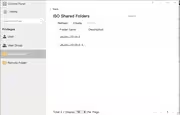
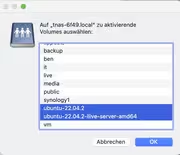
The mounted ISO should be removed, but nothing happens, when I perform the following steps:
# Mount ISO Shared Folder
- Control Panel —> Shared Folder —> ISO Shared Folders
- Create —> choose ISO File —> Set shared folder name —> Create
# Remove mounted ISO Shared Folder
- Choose mounted ISO —> Click Delete —> Nothing happens
This seems to be a bug in TOS version 4.2.44- on my TNAS F2-210
Can someone confirm and/or post a solution how to remove the mounted ISO-File manually via the SSH-Terminal
Thank you very much in advance
Kind Regards
BenK885
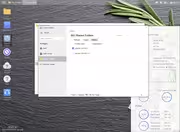
# Mount ISO Shared Folder
- Control Panel —> Shared Folder —> ISO Shared Folders
- Create —> choose ISO File —> Set shared folder name —> Create
# Remove mounted ISO Shared Folder
- Choose mounted ISO —> Click Delete —> Nothing happens
This seems to be a bug in TOS version 4.2.44- on my TNAS F2-210
Can someone confirm and/or post a solution how to remove the mounted ISO-File manually via the SSH-Terminal
Thank you very much in advance
Kind Regards
BenK885