Page 1 of 1
TOS 6.0.460 Default/Restore in Japanese or Chinese
Posted: 10 Sep 2024, 02:35
by beagle062
I reset my F2-424 TOS 6.0.460 in English to set it back to Default & was very surprised that the language was in Japanese or Chinese.
My country setting is English. I expected the reset to ask for country language instead of just setting a language I cannot read.
Go to TOS > Control Panel > General Settings > System/Update & Restore > Default/Restore to Factory Default;
Re: TOS 6.0.460 Default/Restore in Japanese or Chinese
Posted: 10 Sep 2024, 05:16
by Gremlin
Interesting, but I have never seen that happen.
Re: TOS 6.0.460 Default/Restore in Japanese or Chinese
Posted: 10 Sep 2024, 06:55
by RyanYang
Restoring factory settings will result in a restart, and the language displayed after the restart is based on the language settings of the browser. May I know what browser you have and the browser language you have set?
Re: TOS 6.0.460 Default/Restore in Japanese or Chinese
Posted: 10 Sep 2024, 22:09
by beagle062
What I actually did was on TOS 6.0.460. I used System | Configuration | Reset system configuration. After the reset my language was in Chinese or Japanese.
My PC & internet browser language is English.
I used Microsoft translate on my cell phone to translate the screen images so that I could set TNAS back to English. Took about 15 mins.
Maybe this was a glitch that is not reproducible. No problem. I am new to TNAS. Just purchased the F2-T424 3 days ago. Thanks.
Re: TOS 6.0.460 Default/Restore in Japanese or Chinese
Posted: 10 Sep 2024, 22:12
by beagle062
I was using Microsoft Edge browser on Windows 11
Re: TOS 6.0.460 Default/Restore in Japanese or Chinese
Posted: 12 Sep 2024, 23:48
by TMroy
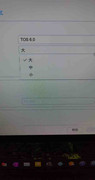
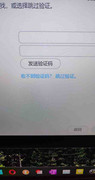
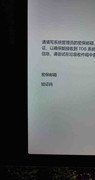
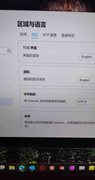
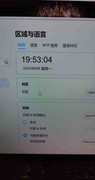
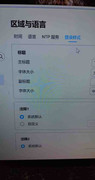
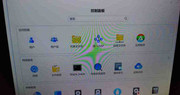
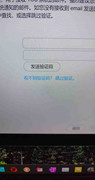
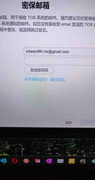
Would you post a screenshot for reference?
Re: TOS 6.0.460 Default/Restore in Japanese or Chinese
Posted: 14 Sep 2024, 03:16
by beagle062
Re: TOS 6.0.460 Default/Restore in Japanese or Chinese
Posted: 15 Sep 2024, 13:51
by TMroy
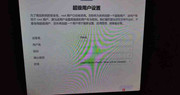
Yes, the menu is in Chinese. what is the web browser you are using? would you check the browser language settings correct? or would you change a web browser and try again? would you provide your settings in web browser?
Re: TOS 6.0.460 Default/Restore in Japanese or Chinese
Posted: 16 Sep 2024, 20:13
by beagle062
Hi TMroy,
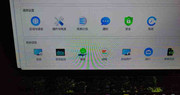
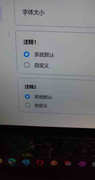
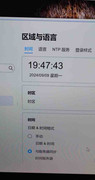
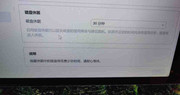
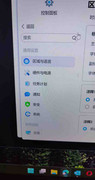
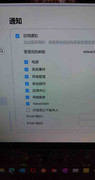
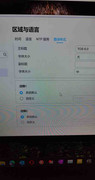
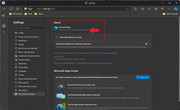
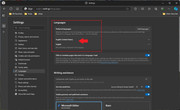
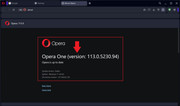
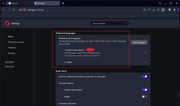
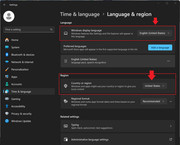
I attached screenshots of the internet browsers installed on my PC. I also attached a screenshot of my Windows 11 Language settings.
My default internet browser is Microsoft Edge. I also have Opera internet browser installed. Both internet browser languages are set to English. No other internet browsers are installed.
What I actually did was on TOS 6.0.460.
I used System | Configuration | Reset system configuration. After the reset my language was in Chinese.
It is totally fine with me that this is not reproducible. No problem. I am not concerned.
Sorry, I cannot agree to try to reproduce this on my TNAS F2-424. I have my TNAS configured exactly how I like it now. Additionally, I have spent 2 days transferring 6 TB of data to my TNAS.
My TNAS is running great! I love it so far! I don't want to make any changes to my production TNAS.
I only wish the front 3 green status lights were bigger. The green status lights size is extremely small. You can barely tell the TNAS is on from looking at the lights. They are nearly invisible. Especially in the daylight or a bright room.
Re: TOS 6.0.460 Default/Restore in Japanese or Chinese
Posted: 16 Sep 2024, 20:55
by Gremlin
beagle062 wrote: ↑16 Sep 2024, 20:13
I only wish the front 3 green status lights were bigger.
Agreed (or brighter). I use a usb hub mounted on top of the unit which has a big blue led (probably overkill) to tell me the nas has power. I blame the people who claimed the led's were
too bright.