Why can I find my device on TNAS PC but cannot log in?
Posted: 17 May 2024, 17:38
Applicable Versions:
TOS 5,TOS 6
App Version:
TNAS PC version 5.1 and above.
Fault symptoms
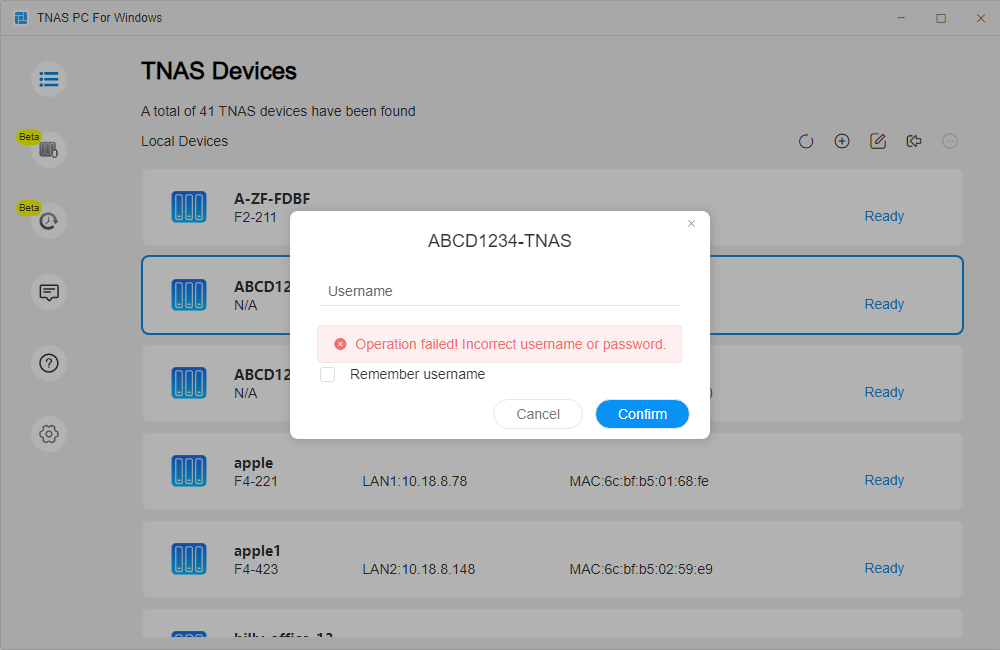
I can find my device through the TNAS PC application, but when I enter the correct username and password, it prompts that the username or password is incorrect.
Fault cause:
Even though the computer and NAS are in the same local area network, they cannot communicate directly because their IP addresses do not belong to the same subnet. For example, the computer's IP is 192.168.8.6, while the NAS's IP is 168.254.254.68[/i. This will cause the login operation to fail when trying to log in by selecting the device through the TNAS PC application.
Resolution method:
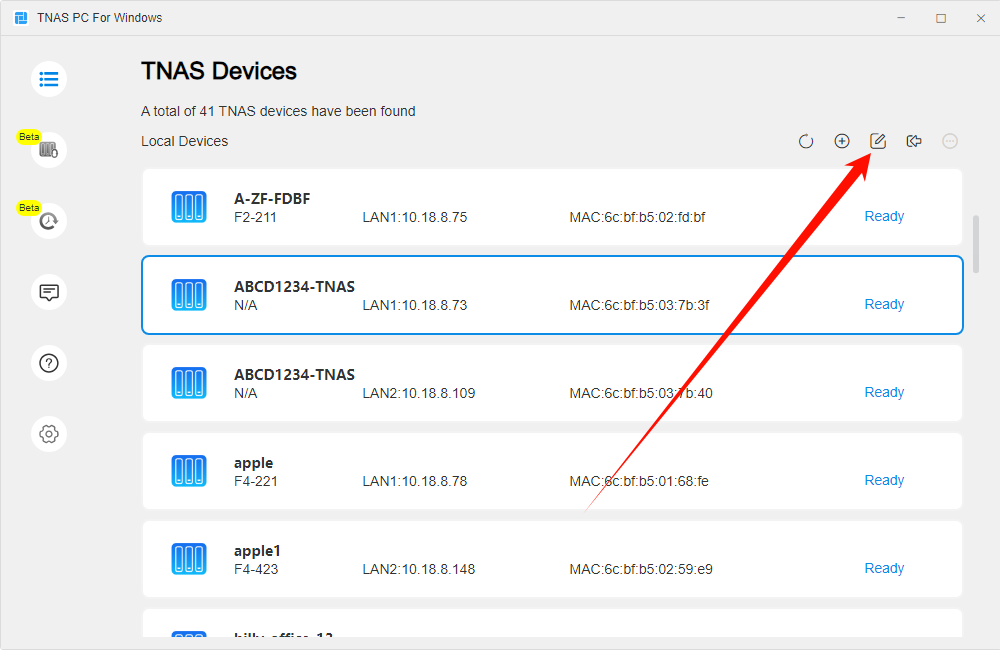
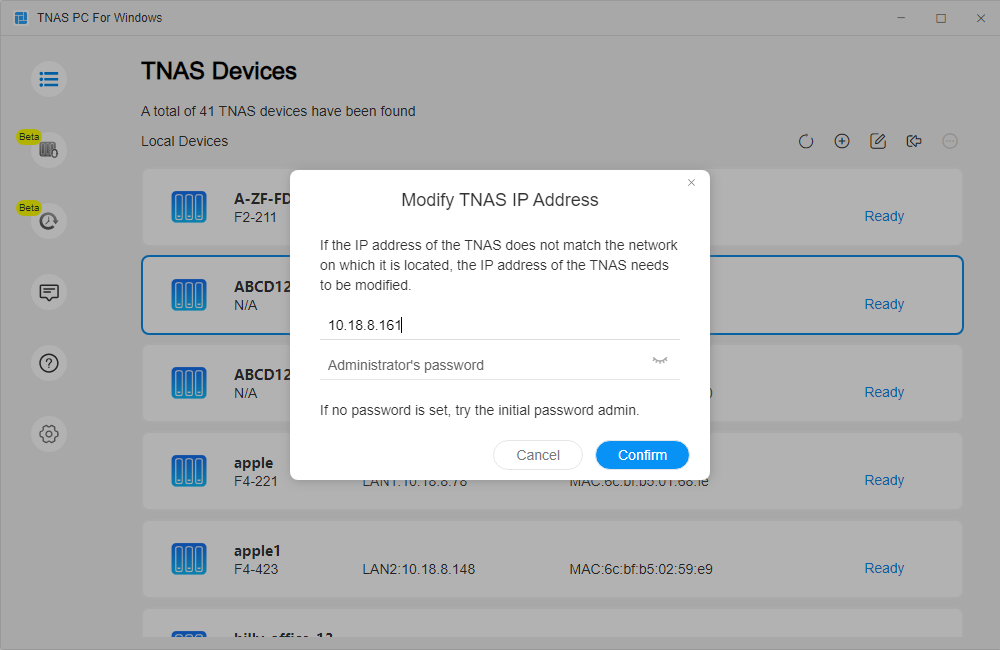
When encountering a login failure, please use the editing function before logging in to modify the device's IP. The application will automatically recommend an IP address in the same network segment as your computer that can be used. After successfully modifying it, you can access the NAS device normally.
Additional notes:
TOS 5,TOS 6
App Version:
TNAS PC version 5.1 and above.
Fault symptoms
I can find my device through the TNAS PC application, but when I enter the correct username and password, it prompts that the username or password is incorrect.
Fault cause:
Even though the computer and NAS are in the same local area network, they cannot communicate directly because their IP addresses do not belong to the same subnet. For example, the computer's IP is 192.168.8.6, while the NAS's IP is 168.254.254.68[/i. This will cause the login operation to fail when trying to log in by selecting the device through the TNAS PC application.
Resolution method:
When encountering a login failure, please use the editing function before logging in to modify the device's IP. The application will automatically recommend an IP address in the same network segment as your computer that can be used. After successfully modifying it, you can access the NAS device normally.
Additional notes:
- If the system is in a congested state, it may also affect client login. If login fails and prompts for incorrect username or password, please try multiple times or wait for some time before attempting to log in again.
- If you cannot find your TNAS device through the TNAS PC application, you can try the following link to troubleshoot:How to Install and Initialize My Newly Purchased TNAS Device?