Page 1 of 2
big CPU overload since Tos 5.1.24 update
Posted: 16 Mar 2023, 18:13
by slayer
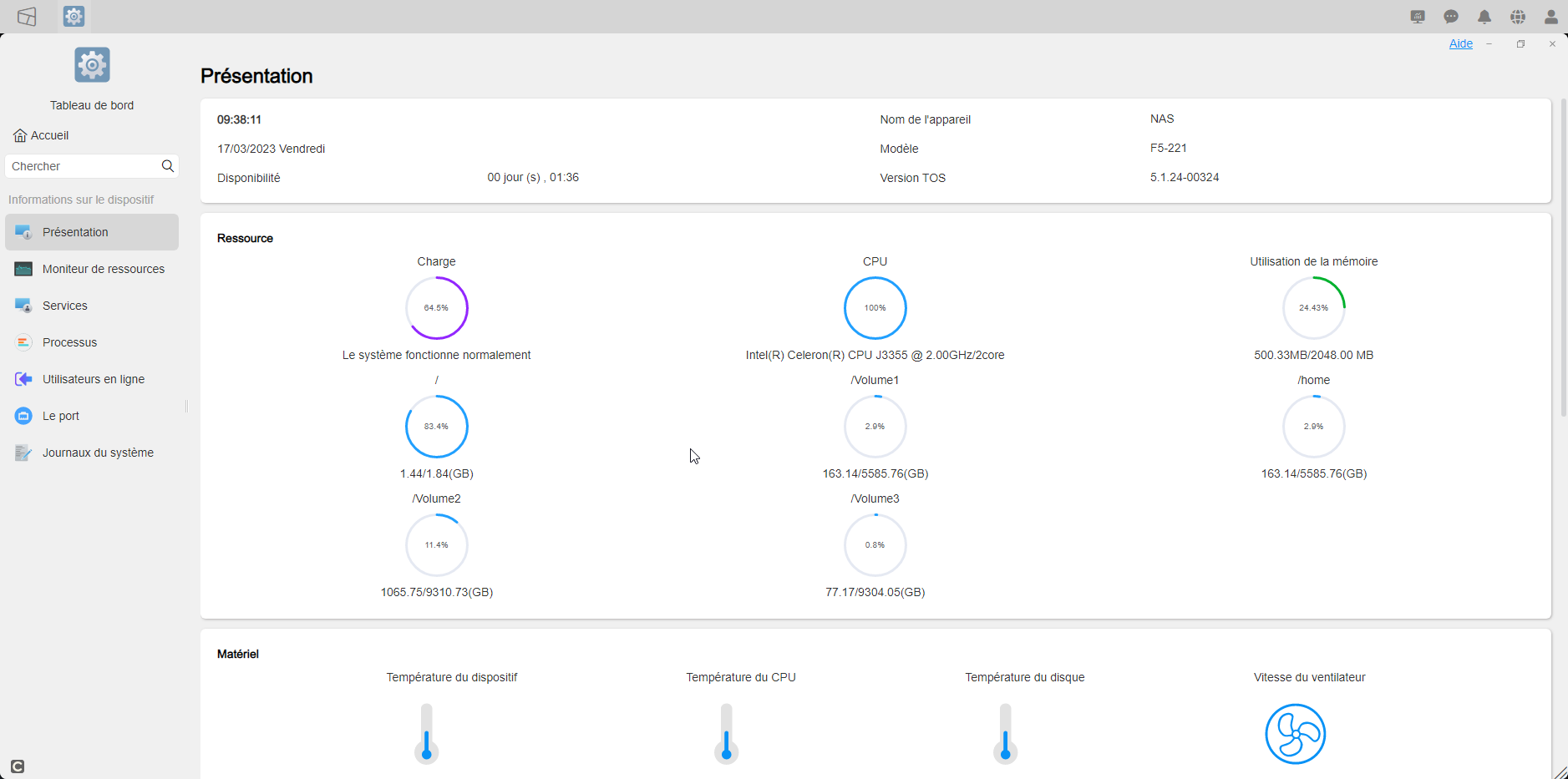
Hi, since the last update, there is a serious CPU overconsumption problem, my NAS is at rest, nothing is running on it and despite everything, I am at more than 89% CPU load!!!

Re: big CPU overload since Tos 5.1.24 update
Posted: 17 Mar 2023, 16:25
by TMSupport
Please go to Control Panel > Processes to check which process is taking high cpu usage.
Re: big CPU overload since Tos 5.1.24 update
Posted: 17 Mar 2023, 16:32
by slayer
I don't see anything justifying this CPU overload.

Re: big CPU overload since Tos 5.1.24 update
Posted: 17 Mar 2023, 16:41
by slayer
Re: big CPU overload since Tos 5.1.24 update
Posted: 17 Mar 2023, 16:56
by TMSupport
"ec_stat" is the process to get HDD temperature, cpu temperature, device temperature and fan speed. Runs when you enter the overview module.
Re: big CPU overload since Tos 5.1.24 update
Posted: 17 Mar 2023, 17:00
by slayer
ok , but that does not justify why my cpu is in charge at 80% the rest of the time when I do not ask anything from my nas
Re: big CPU overload since Tos 5.1.24 update
Posted: 17 Mar 2023, 18:00
by TMSupport
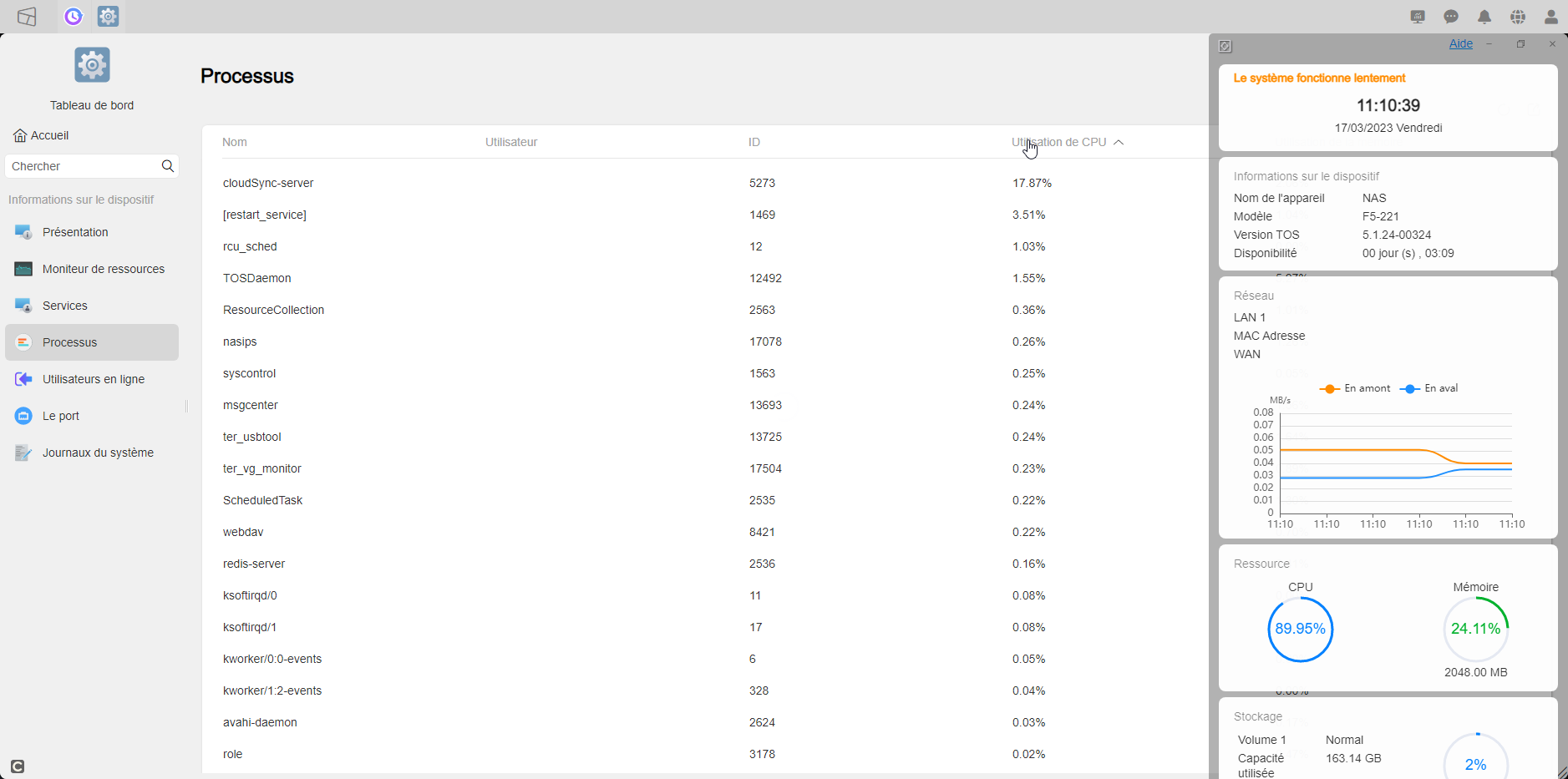
From the first screenshot you posted, before entering the overview, only "cloud-server" takes up 17% of the CPU when viewing, and other processes are normal. At this point the cpu usage should not be overloaded.
Without entering the overview module, you can click the "System Info" button in the upper right corner of the desktop to view the CPU usage.
Re: big CPU overload since Tos 5.1.24 update
Posted: 17 Mar 2023, 18:13
by slayer
Re: big CPU overload since Tos 5.1.24 update
Posted: 11 Apr 2024, 13:46
by vima
I seem to be having the same issue. My CPU is at 100% but when I look at the processes, the numbers don't add up.
Re: big CPU overload since Tos 5.1.24 update
Posted: 11 Apr 2024, 18:34
by Gremlin
As far as @slayer's position, running 5.1.24 on 2GB system partition might not be optimal.