Page 1 of 1
F2-210 Filemanager
Posted: 11 Apr 2020, 16:54
by TempelRitter
Good Morning all,
I have a TerraMaster F2-210 NAS at home. As an operating system, I have Windows in version 10 and Ubuntu 19.10 with dualboot. I can reach the NAS as normal in the network via the network address.
I would like to access the data via Explorer and Nautilus for both operating systems. TerraMaster offers online access TNAS.online. Adding the address and my TNAS ID in Windows and Ubuntu doesn't do anything, so I can't access the data.
Can someone help me how I can access the NAS outside the network via file system?
Re: F2-210 Filemanager
Posted: 11 Apr 2020, 20:21
by TMroy
Hi TempelRitter,
You just need to enabled the TNAS.online service, and follow the instruction showing on the page of TNAS.online settings.
Re: F2-210 Filemanager
Posted: 11 Apr 2020, 21:26
by TempelRitter
Hey TMroy,
i did enable the TNAS.Online service. I can connect with Windows and Ubuntu over the Webbrowser to my NAS. I want to use the File System in the operating System and not my Webbrowser to view and change my Data.
Re: F2-210 Filemanager
Posted: 11 Apr 2020, 23:05
by TMroy
To use SMB file service on your local network, please follow the instruction here:
https://help.terra-master.com/TOS/view/ ... OS_Guide_1
You can also get the instruction from TOS > control panel > network service > file service > smb/cifs file service
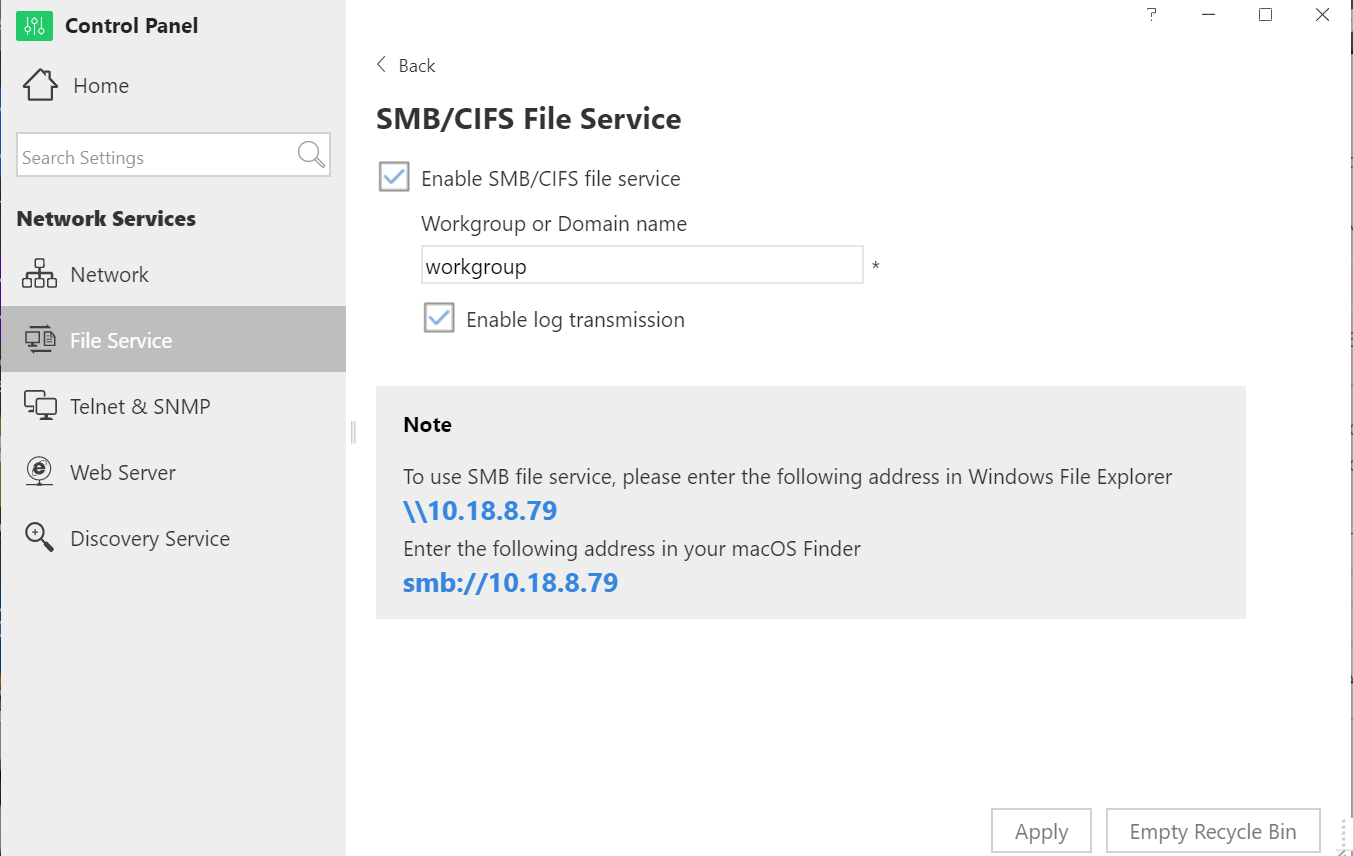
Re: F2-210 Filemanager
Posted: 11 Apr 2020, 23:56
by TempelRitter
This is working for me, as say below.
TempelRitter wrote: ↑11 Apr 2020, 16:54
I can reach the NAS as normal in the network via the network address.
my Problem is that i can't reach it outside of my local Network. I found the WebDav Setting Seached the Internet but didn't make it run.
Re: F2-210 Filemanager
Posted: 12 Apr 2020, 21:29
by TMroy
To remotely access your file stored on your TNAS, you have to build a connection between your PC and your remote TNAS device.
There are some common ways to build the connection, like:
1. TerraMaster TNAS.online web access;
2. TerraMaster TNAS mobile access;
2. VPN connection which can support FTP, NFS, webdav and SMB file service; You may build your own VPN server if you have a static IP address on TNAS server or order third party VPN service;
3. DDNS service which can support FTP, NFS and webdav file service; You need to use the third party DDNS service, and set it up on remote access menu on TOS desktop.
Re: F2-210 Filemanager
Posted: 25 Jul 2020, 16:29
by StanHK
I am using the F2-210 Together with a Firewalla. The latter is not only a firewall, but also offers VPN, allowing you to become part of your local network from outside. There are a few advantages, but the most obvious are:
1. Your drive does not present itself to the outside world;
2. The connection is secure.
Personally, I think a VPN of any kind is the best solution.
My NAS is the office storage, the office has a Forewalla too and I make a connection from the office to my home. My personnel’s traffic is all routed over this VPN connection, giving “local access” to “remote storage”.
Just my two cents on this.