Page 1 of 1
manual standby / hibernation
Posted: 21 Oct 2021, 16:40
by deejc
i have set power on / off schedule and tested WOL and its fine, but how can i send the Nas into standby manually from the command line so that the schedule still works ?
if i want the nas awake in the day i may send WOL, get some files then i want to send it back to sleep
Re: manual standby / hibernation
Posted: 21 Oct 2021, 18:14
by TMSupport
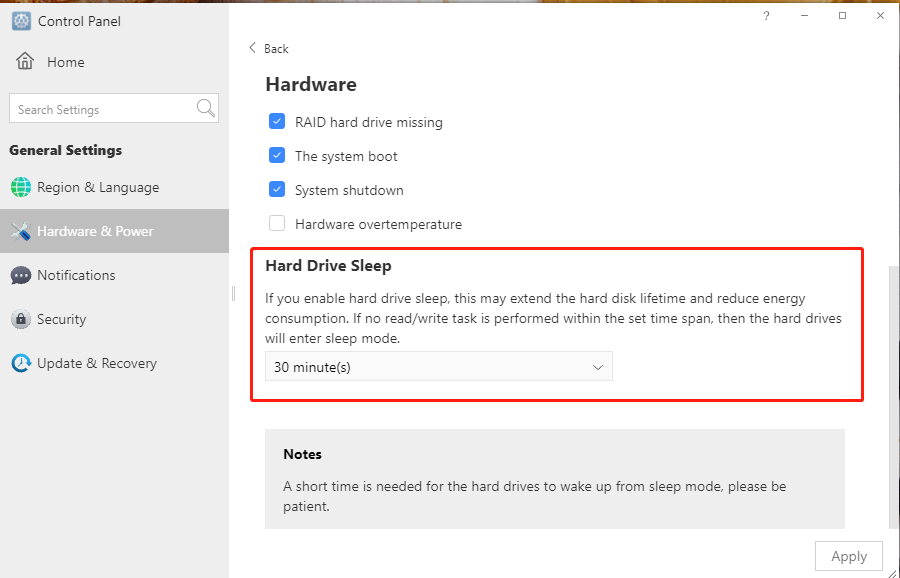
HI! You can set hard drive hibernation. Please go to Control Panel> General Settings> Hardware&Power> Hardware, and then enable hard drive sleep.
Re: manual standby / hibernation
Posted: 21 Oct 2021, 18:23
by deejc
thanks, but not hard drive hibernation, i want the NAS to goto sleep like if the power on / off schedule is set to now
what is the command, like shutdown -s now ? or something else ?
like systemctl suspend or pmi action suspend
Re: manual standby / hibernation
Posted: 22 Oct 2021, 11:28
by TMroy
as you can activate your tnas by WOL, so you just need to shut it down as soon as your works is done.
Re: manual standby / hibernation
Posted: 22 Oct 2021, 15:13
by deejc
Ok thanks so the power on / off timer will still work if I shut it down ?
Re: manual standby / hibernation
Posted: 22 Oct 2021, 16:49
by TMroy
sure!
Re: manual standby / hibernation
Posted: 22 Oct 2021, 18:53
by deejc
Thanks a lot