Page 1 of 1
[Help] TOS 7.0.1536 killed access to Centralized Backup
Posted: 13 Nov 2026, 12:49
by tnaspain
Hello Again,
I just upgraded to the latest TOS 7.0.1536.
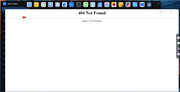
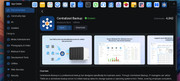
That killed the Centralized Backup. It is installed, but it throws an error when I try to access it by the normal way of hitting the "Open" button on the app, as shown in the 2nd photo below. That feature worked before the update.
Access to my @snapshot folders has also been killed by the update. Is it possible the two are related?
See photo below. Please help if you can. Thanks.
Would very much like to revert to the prior version of TOS 7.x, because it worked and was stable. Possible without reloading 100TB of data?
Later, I thought to delete the app. Downloaded and installed it again. The reinstall worked.
But the larger question is:
1. Why did the TOS update crash it?
2. Why is there no "reinstall" button for the app? I had to delete it completely, redownload, and then reinstall.
Re: [Help] TOS 7.0.1536 killed access to Centralized Backup
Posted: 13 Nov 2026, 16:28
by owenscott
After a TOS point release kills Centralized Backup UI/API access, I usually isolate it like this:
1. Confirm the app itself still runs: Control Panel → Applications → Centralized Backup status, and check whether its docker/service process is up (if you have SSH: `docker ps` / `ps | grep -i backup`).
2. Hard-refresh the UI (another browser / private window). TOS 7 web UI sometimes caches an old JS bundle after upgrades and shows blank/broken module pages.
3. If the service is running but UI fails: uninstall/reinstall only Centralized Backup from App Center (settings/jobs often survive; take a config screenshot first).
4. Network path: if you open the NAS by IP:port or via reverse proxy, try LAN IP + HTTPS management port directly — some modules break when the Host header / proxy path changes after update.
5. Check system logs around the upgrade timestamp for permission or DB migration errors for that app.
If you can paste whether the app shows Running in App Center and whether SSH still reaches the box, the next step is clearer (service vs UI vs proxy).
Re: [Help] TOS 7.0.1536 killed access to Centralized Backup
Posted: 13 Nov 2026, 17:34
by TMchris
Thank you for reporting this issue.
We have tested this scenario internally, but so far we haven't been able to reproduce the issue where Centralized Backup fails to open after upgrading to TOS 7.0.1536.
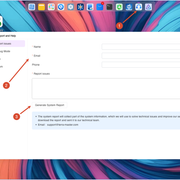
To help us investigate the issue further, could you please generate and provide a system report by following these steps?
1. Click the **Support and Help** icon on the desktop.
2. Select **Report issues**.
3. Fill in the required information and briefly describe the issue.
4. Click **Generate System Report** to generate the report.
Additionally, could you please confirm the following?
- Your NAS model.
- The previous TOS version before upgrading to 7.0.1536.
The system report and additional information will help us analyze the issue and identify the possible cause.
Thank you for your cooperation!
Re: [Help] TOS 7.0.1536 killed access to Centralized Backup
Posted: 13 Nov 2026, 17:38
by TMchris
Regarding your two additional questions:
**1. Why did the TOS update cause Centralized Backup to stop working?**
At this stage, we haven't identified the exact cause. The issue may be related to changes in system components, application environments, or service dependencies during the TOS update. However, we need to analyze the system report and relevant logs before drawing any conclusions.
We will investigate this further once we receive your system report.
**2. Why is there no "Reinstall" button for the app?**
Currently, the App Center does not provide a dedicated "Reinstall" option. If an application encounters an issue, users need to uninstall it first and then download and install it again.
We understand that this process is inconvenient, and we appreciate your suggestion. We will forward this feedback to our product team for consideration in future improvements.
Thank you for your understanding and cooperation!
Re: [Help] TOS 7.0.1536 killed access to Centralized Backup
Posted: 14 Nov 2026, 04:28
by tnaspain
TMchris wrote: ↑13 Nov 2026, 17:34
4. Click **Generate System Report** to generate the report.
Additionally, could you please confirm the following?
- Your NAS model.
- The previous TOS version before upgrading to 7.0.1536.
When I go and click "Generate System Report", nothing happens. There is no confirmation of a report being generated and saved. I would also like to read the report before it sends it to you, to make sure it has no confidential info in it. Where is the report locally stored after being generated, before the mail attaches it and sends it to you?
The NAS is a new T12-500 Pro
Prior version was just prior to 7.0.1536.Whatever the latest was. I can not find any log of OS updates, so I am not sure of the version #.
Where can I see the history of TOS updates in the interface? Does one exist?
Thanks.
Re: [Help] TOS 7.0.1536 killed access to Centralized Backup
Posted: 14 Nov 2026, 21:49
by CursaYang
System reports are downloaded via your browser by default.
Viewing the operating system update history is currently not supported.
Are terminal applications working correctly? You can run the command ‘dmesg’ in the terminal and provide a screenshot of the final page.