[Help] Photos Timeline view blank spaces
Posted: 05 Nov 2026, 18:54
Terramaster F6-424 Max
TOS 7.0.1422 on nvme 1 (application data also on this nvme)
hypercache on nvme 2
3 HDD's with data
When scrolling through timeline view of a space in Photos tab (having a total of 400k+ images), it loads great and is fast (nvme with tos7 and application folder + second hypercache nvme, data on HDD traid pool of 3 HDD's). But then at random points, it stops loading further images and just renders blank white after that point (does not even show thumbnail placeholders). When reloading the browser page it starts at top of timeline view again, and the load halting happens again at some point. When clicking the left sidebar year/month picker, it does load correctly, and if i hit it right, i can view the images that previously didn't want to load, but its really annoying. It feels as if there is a range from a date in the timeline (when clicking on the year/month picker) which is available for browse, and further away from it does not load.
Thank you in advance.
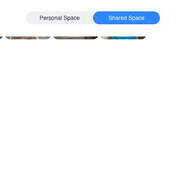
Here are two different examples:

TOS 7.0.1422 on nvme 1 (application data also on this nvme)
hypercache on nvme 2
3 HDD's with data
When scrolling through timeline view of a space in Photos tab (having a total of 400k+ images), it loads great and is fast (nvme with tos7 and application folder + second hypercache nvme, data on HDD traid pool of 3 HDD's). But then at random points, it stops loading further images and just renders blank white after that point (does not even show thumbnail placeholders). When reloading the browser page it starts at top of timeline view again, and the load halting happens again at some point. When clicking the left sidebar year/month picker, it does load correctly, and if i hit it right, i can view the images that previously didn't want to load, but its really annoying. It feels as if there is a range from a date in the timeline (when clicking on the year/month picker) which is available for browse, and further away from it does not load.
Thank you in advance.
Here are two different examples: