[Help] Latest version of CloudSync won't allow syncing into encrypted folder
Posted: 18 Sep 2026, 22:44
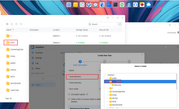
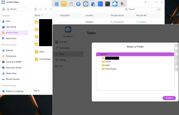
I've recently updated to TOS 7 and installed latest CloudSync app, and where before (on TOS 5) I could sync my cloud data into an encrypted shared folder, now it won't let me select any. The only folders I see in the list when creating new task (and choosing local destination) are unencrypted ones.
Of course all encrypted folder are mounted and accessible. I even can see them in Dupl Backup on the same step, but not in CloudSync for some reason.
I tried tinkering with folders' permissions, creating new ones, rebooting, reinstalling etc, and nothing worked.
Am I missing something? Is this intended change? Or perhaps it can be fixed somehow?
Of course all encrypted folder are mounted and accessible. I even can see them in Dupl Backup on the same step, but not in CloudSync for some reason.
I tried tinkering with folders' permissions, creating new ones, rebooting, reinstalling etc, and nothing worked.
Am I missing something? Is this intended change? Or perhaps it can be fixed somehow?