[Help] Several Questions About the D4-320
Posted: 09 Sep 2026, 14:25
Hello,
I received my TerraMaster D4-320 five days ago and have a few questions about it.
The post is a little long, but I would appreciate any detailed feedback or information on the questions below.
----
# 1. Fan Replacement
The stock cooling fan has a high-pitched noise, which is quite uncomfortable in a quiet environment. So I am considering replacing it with a Noctua NF-A12x25.
It looks like some small design changes were made compared with the earlier version. For example, the fan screws are now mounted from inside the housing.
Does the current version still use a JST 2.54 mm connector for the fan header?
Also, is there anything I should be careful about when replacing the fan?
----
# 2. Temperature During Standby
After leaving the D4-320 in standby mode, with the connected PC shut down, for several hours, the right-side plastic housing around the PCB and the area around the connectors become warm.
Is this normal for the D4-320 when it is in standby?
----
# 3. Fan Temperature Control
What temperature is used to control the fan speed?
Is the fan curve based on the PCB temperature, or on the temperature of the installed HDDs?
----
# 4. Slow Write Speed After a Cold Boot
(Resolved, but I would like to know why)
I am currently using an MSI MAG X870 TOMAHAWK WIFI motherboard.
Since I first installed the D4-320, I had a problem where the write speed stayed below 50 MB/s after a cold boot.
The read speed was normal, and only the write speed was affected.
Of course, I am using the original USB cable and power adapter that came with the D4-320.
The behavior was always the same:
* Cold boot: Write speed below 50 MB/s
* After rebooting the PC: Write speed returned to normal
* Every cold boot: The same problem happened again
* Different USB ports on the motherboard: The same problem occurred
After trying several things, I found that installing MSI's `ASMedia 116x SATA Controller Driver` completely fixed the problem.
My PC does not have any internal SATA devices.
Why would installing this driver fix the problem even though I am not using any internal SATA devices?
Can the `ASMedia 116x SATA Controller Driver` affect the D4-320 even when no SATA devices are connected?
Is there any known compatibility issue or possible reason for this?
For reference, the SATA controller on the MSI MAG X870 TOMAHAWK WIFI is an ASMedia ASM1064.
----
# 5. Drive Wake-up / Firmware
(Resolved, but I would like to know why)
After that, while using the D4-320, I had an intermittent problem where the drive in Slot 1 would sometimes fail to wake up from sleep and disappear.
I tested different drives and slot configurations and found that the problem only occurred when an HDD and an SSD were used together, and only when the affected drive was installed in Slot 1. I tested two WD Purple HDDs and a Samsung 860 EVO SSD, and all of them showed the same behavior under these conditions.
* HDD + SSD: Problem occurred in Slot 1
* HDD/SSD alone in Slot 1: No problem
* HDDs only: No problem
* Other slots: No problem
At the time, Windows 11 Device Manager showed Code 43, and Event Viewer showed UASPStor Event ID 129.
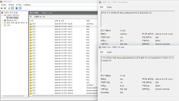
I then reflashed the firmware using MPTool, and the problem has not happened again so far.
However, the firmware version was 210830D163F7 both before and after the reflash.
Why would reflashing the same firmware version fix the problem?
Could the reflash process have reset some settings or internal data, even though the firmware version itself stayed the same?
Thank you for taking the time to read through everything. I would really appreciate a detailed answer.
I received my TerraMaster D4-320 five days ago and have a few questions about it.
The post is a little long, but I would appreciate any detailed feedback or information on the questions below.
----
# 1. Fan Replacement
The stock cooling fan has a high-pitched noise, which is quite uncomfortable in a quiet environment. So I am considering replacing it with a Noctua NF-A12x25.
It looks like some small design changes were made compared with the earlier version. For example, the fan screws are now mounted from inside the housing.
Does the current version still use a JST 2.54 mm connector for the fan header?
Also, is there anything I should be careful about when replacing the fan?
----
# 2. Temperature During Standby
After leaving the D4-320 in standby mode, with the connected PC shut down, for several hours, the right-side plastic housing around the PCB and the area around the connectors become warm.
Is this normal for the D4-320 when it is in standby?
----
# 3. Fan Temperature Control
What temperature is used to control the fan speed?
Is the fan curve based on the PCB temperature, or on the temperature of the installed HDDs?
----
# 4. Slow Write Speed After a Cold Boot
(Resolved, but I would like to know why)
I am currently using an MSI MAG X870 TOMAHAWK WIFI motherboard.
Since I first installed the D4-320, I had a problem where the write speed stayed below 50 MB/s after a cold boot.
The read speed was normal, and only the write speed was affected.
Of course, I am using the original USB cable and power adapter that came with the D4-320.
The behavior was always the same:
* Cold boot: Write speed below 50 MB/s
* After rebooting the PC: Write speed returned to normal
* Every cold boot: The same problem happened again
* Different USB ports on the motherboard: The same problem occurred
After trying several things, I found that installing MSI's `ASMedia 116x SATA Controller Driver` completely fixed the problem.
My PC does not have any internal SATA devices.
Why would installing this driver fix the problem even though I am not using any internal SATA devices?
Can the `ASMedia 116x SATA Controller Driver` affect the D4-320 even when no SATA devices are connected?
Is there any known compatibility issue or possible reason for this?
For reference, the SATA controller on the MSI MAG X870 TOMAHAWK WIFI is an ASMedia ASM1064.
----
# 5. Drive Wake-up / Firmware
(Resolved, but I would like to know why)
After that, while using the D4-320, I had an intermittent problem where the drive in Slot 1 would sometimes fail to wake up from sleep and disappear.
I tested different drives and slot configurations and found that the problem only occurred when an HDD and an SSD were used together, and only when the affected drive was installed in Slot 1. I tested two WD Purple HDDs and a Samsung 860 EVO SSD, and all of them showed the same behavior under these conditions.
* HDD + SSD: Problem occurred in Slot 1
* HDD/SSD alone in Slot 1: No problem
* HDDs only: No problem
* Other slots: No problem
At the time, Windows 11 Device Manager showed Code 43, and Event Viewer showed UASPStor Event ID 129.
I then reflashed the firmware using MPTool, and the problem has not happened again so far.
However, the firmware version was 210830D163F7 both before and after the reflash.
Why would reflashing the same firmware version fix the problem?
Could the reflash process have reset some settings or internal data, even though the firmware version itself stayed the same?
Thank you for taking the time to read through everything. I would really appreciate a detailed answer.