Remote Folder (NFS) truncates share names containing spaces
Posted: 05 Aug 2026, 14:01
Model:
TerraMaster F2-425 Plus
Current TOS version
7.0.0804
BIOS/InitBoot version
MTWL0101.V07
NFS Server:
Synology DS1621+
Problem:
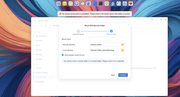
Remote Folder cannot mount an NFS export whose share name contains a space. The GUI discovers the export but truncates the name at the first space.
Steps to reproduce:
Export Synology shared folder named Video Library via NFS.
Browse NFS shares in TOS Remote Folder.
TOS displays Video instead of Video Library.
Click Mount.
Mount fails with "Remote source path is unavailable."
Expected behavior:
10.10.10.1:/volume1/Video Library
Actual behavior:
10.10.10.1:/volume1/Video
The most important evidence
Include this log line:
mount.nfs: mounting 10.10.10.1:/volume1/Video failed,
reason given by server: No such file or directory
Then mention:
Running the equivalent Linux command manually succeeds:
mount -t nfs -o vers=4.1 \
10.10.10.1:/volume1/Video\ Library \
"/Volume1/Video Library/Synology"
Therefore, the Linux NFS client works correctly. The issue appears to be in the TOS Remote Folder GUI, which truncates the export name before calling mount.nfs
TerraMaster F2-425 Plus
Current TOS version
7.0.0804
BIOS/InitBoot version
MTWL0101.V07
NFS Server:
Synology DS1621+
Problem:
Remote Folder cannot mount an NFS export whose share name contains a space. The GUI discovers the export but truncates the name at the first space.
Steps to reproduce:
Export Synology shared folder named Video Library via NFS.
Browse NFS shares in TOS Remote Folder.
TOS displays Video instead of Video Library.
Click Mount.
Mount fails with "Remote source path is unavailable."
Expected behavior:
10.10.10.1:/volume1/Video Library
Actual behavior:
10.10.10.1:/volume1/Video
The most important evidence
Include this log line:
mount.nfs: mounting 10.10.10.1:/volume1/Video failed,
reason given by server: No such file or directory
Then mention:
Running the equivalent Linux command manually succeeds:
mount -t nfs -o vers=4.1 \
10.10.10.1:/volume1/Video\ Library \
"/Volume1/Video Library/Synology"
Therefore, the Linux NFS client works correctly. The issue appears to be in the TOS Remote Folder GUI, which truncates the export name before calling mount.nfs