[Help] TOS7 filesystem snapshots missing [SOLVED]
Posted: 14 Jul 2026, 16:58
Hi,
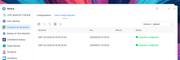
I have the filesystem snapshot enabled, but in a recent update it was disabled so I went to the control panel, enabling it, but I receive an error:

rather in the terminal if I type
btrfs subvolume list /Volume1
it shows the snapshots, looks like the UI cannot read anymore the directory
ID 19738 gen 976386 top level 5 path @syssnapshot/Snap/GMT+02-2026.06.16-12.00.00
ID 19739 gen 976382 top level 19738 path @syssnapshot/Snap/GMT+02-2026.06.16-12.00.00/homes
ID 19740 gen 976383 top level 19738 path @syssnapshot/Snap/GMT+02-2026.06.16-12.00.00/@system
ID 19741 gen 976384 top level 19738 path @syssnapshot/Snap/GMT+02-2026.06.16-12.00.00/@apps
ID 19742 gen 976385 top level 19738 path @syssnapshot/Snap/GMT+02-2026.06.16-12.00.00/@desktop
ID 19743 gen 976386 top level 19738 path @syssnapshot/Snap/GMT+02-2026.06.16-12.00.00/@cache
ID 19744 gen 976809 top level 5 path @syssnapshot/Snap/GMT+02-2026.06.16-16.00.00
ID 19745 gen 976805 top level 19744 path @syssnapshot/Snap/GMT+02-2026.06.16-16.00.00/homes
ID 19746 gen 976806 top level 19744 path @syssnapshot/Snap/GMT+02-2026.06.16-16.00.00/@system
ID 19747 gen 976807 top level 19744 path @syssnapshot/Snap/GMT+02-2026.06.16-16.00.00/@apps
ID 19748 gen 976808 top level 19744 path @syssnapshot/Snap/GMT+02-2026.06.16-16.00.00/@desktop
ID 19749 gen 976809 top level 19744 path @syssnapshot/Snap/GMT+02-2026.06.16-16.00.00/@cache
ID 19750 gen 977235 top level 5 path @syssnapshot/Snap/GMT+02-2026.06.16-20.00.00
ID 19751 gen 977231 top level 19750 path @syssnapshot/Snap/GMT+02-2026.06.16-20.00.00/homes
ID 19752 gen 977232 top level 19750 path @syssnapshot/Snap/GMT+02-2026.06.16-20.00.00/@system
ID 19753 gen 977233 top level 19750 path @syssnapshot/Snap/GMT+02-2026.06.16-20.00.00/@apps
ID 19754 gen 977234 top level 19750 path @syssnapshot/Snap/GMT+02-2026.06.16-20.00.00/@desktop
ID 19755 gen 977235 top level 19750 path @syssnapshot/Snap/GMT+02-2026.06.16-20.00.00/@cache
I have the filesystem snapshot enabled, but in a recent update it was disabled so I went to the control panel, enabling it, but I receive an error:
rather in the terminal if I type
btrfs subvolume list /Volume1
it shows the snapshots, looks like the UI cannot read anymore the directory
ID 19738 gen 976386 top level 5 path @syssnapshot/Snap/GMT+02-2026.06.16-12.00.00
ID 19739 gen 976382 top level 19738 path @syssnapshot/Snap/GMT+02-2026.06.16-12.00.00/homes
ID 19740 gen 976383 top level 19738 path @syssnapshot/Snap/GMT+02-2026.06.16-12.00.00/@system
ID 19741 gen 976384 top level 19738 path @syssnapshot/Snap/GMT+02-2026.06.16-12.00.00/@apps
ID 19742 gen 976385 top level 19738 path @syssnapshot/Snap/GMT+02-2026.06.16-12.00.00/@desktop
ID 19743 gen 976386 top level 19738 path @syssnapshot/Snap/GMT+02-2026.06.16-12.00.00/@cache
ID 19744 gen 976809 top level 5 path @syssnapshot/Snap/GMT+02-2026.06.16-16.00.00
ID 19745 gen 976805 top level 19744 path @syssnapshot/Snap/GMT+02-2026.06.16-16.00.00/homes
ID 19746 gen 976806 top level 19744 path @syssnapshot/Snap/GMT+02-2026.06.16-16.00.00/@system
ID 19747 gen 976807 top level 19744 path @syssnapshot/Snap/GMT+02-2026.06.16-16.00.00/@apps
ID 19748 gen 976808 top level 19744 path @syssnapshot/Snap/GMT+02-2026.06.16-16.00.00/@desktop
ID 19749 gen 976809 top level 19744 path @syssnapshot/Snap/GMT+02-2026.06.16-16.00.00/@cache
ID 19750 gen 977235 top level 5 path @syssnapshot/Snap/GMT+02-2026.06.16-20.00.00
ID 19751 gen 977231 top level 19750 path @syssnapshot/Snap/GMT+02-2026.06.16-20.00.00/homes
ID 19752 gen 977232 top level 19750 path @syssnapshot/Snap/GMT+02-2026.06.16-20.00.00/@system
ID 19753 gen 977233 top level 19750 path @syssnapshot/Snap/GMT+02-2026.06.16-20.00.00/@apps
ID 19754 gen 977234 top level 19750 path @syssnapshot/Snap/GMT+02-2026.06.16-20.00.00/@desktop
ID 19755 gen 977235 top level 19750 path @syssnapshot/Snap/GMT+02-2026.06.16-20.00.00/@cache