Page 1 of 1
[Help] usb not mounting but can be seen on usb device how do i mount usb ntfs
Posted: 14 May 2026, 17:56
by jwills70
i am on the current update 6.0 794
tnas t9-423
i am having problems with my usb drives being reconised they worked fine upto yesterday i had to reboot the nas upon restart i plugged the usb enclosure TERRAMASTER D6-320 back in and out of the 6 it only mounted 2 drives out of the 6 i have tried safe eject also different usb ports and swapping the drives around also turning off the nas and restart
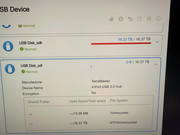
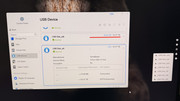
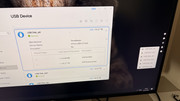
the system can see the usb drives when clicking on usb on the right side of screen and also by going into control panel/storage/usb device they are visable but normally it should say ntfs mounted it just says ntfs unmounted on some
i have attached some pics how do i get it to change to ntfs mount ??
i have tested the enclosure on another nas i have with the same drives and all work fine and mount as they should when plugging in
Re: [Help] usb not mounting but can be seen on usb device how do i mount usb ntfs
Posted: 14 May 2026, 19:47
by MikeZhang
Sorry for the inconvenience.
You can safely eject the hard drive and then reinsert it.
Alternatively, you can execute the following command: `systemctl restart mountusb.service`
Re: [Help] usb not mounting but can be seen on usb device how do i mount usb ntfs
Posted: 14 May 2026, 22:58
by jwills70
ok i have already ejected the hard drive and reinsert it makes no difference
i entered the command systemctl restart mountusb.service but only got this message ??
Warning: The unit file, source configuration file or drop-ins of mountusb.service changed on disk. Run 'systemctl daemon-reload' to reload units.
Job for mountusb.service failed because the control process exited with error code.
See "systemctl status mountusb.service" and "journalctl -xeu mountusb.service" for details.
Re: [Help] usb not mounting but can be seen on usb device how do i mount usb ntfs
Posted: 15 May 2026, 16:40
by MikeZhang
It is recommended to insert each unmounted hard drive individually, one at a time, and observe whether it can be mounted. If none of them can be mounted, the hard drive's file system may be faulty. It is suggested to safely remove the DAS and connect it to the Windows computer, then use third-party software to repair the partitions of the unmountable hard drives.
If each drive can be mounted individually, run 'systemctl daemon-reload' to reload units. Follow the prompts: See "systemctl status mountusb.service" and "journalctl -xeu mountusb.service" for details.
Re: [Help] usb not mounting but can be seen on usb device how do i mount usb ntfs
Posted: 15 May 2026, 17:25
by jwills70
ok thanks for the reply i have already treid the drive one at a time and the same happens sometimes it will mount 5 out of the 6 other times 1 out of the 6
the point i think i need to point out is they all work fine on a windows pc also when plugging into my other nas they all work and mount fine by just plugging in the TERRAMASTER D6-320 its only on this nas it fails to do so
at present i have managed to mount 5 out of the 6 the last one is still refusing to mount which has nothing on it and was just formatted before placing inside the usb enclosure
also note i have placed the drive into my other usb enclosure and plugged into the my other nas and works and mounts as expected
also note i then plugged the other usb enclosure back into this nas and the same thing only 1 or 2 will mount
so it cant be the drives or the usb enclosures
do you want me to place the 6th drive in and run the above commands ??
run 'systemctl daemon-reload' to reload units. Follow the prompts: See "systemctl status mountusb.service" and "journalctl -xeu mountusb.service" for details.
as i am at a loss that it could be a problem with the file system on the nas or somthing it will stay like this until a reboot where they will all fail to mount again
Re: [Help] usb not mounting but can be seen on usb device how do i mount usb ntfs
Posted: 15 May 2026, 21:02
by MikeZhang
Please visit our official online chat to book remote session, let us check for you remotely.