Page 1 of 1
[Discussion] Multiple Shared Folders [SOLVED]
Posted: 27 Apr 2026, 20:19
by rfbjr
I tested Duple and selected two shared folders, sending the backup to a remote NAS.
It seemed to work fine, but I wanted to move the folder that it created on the remote NAS to a different location.
The copy failed with a data validation error, so, first is Duple designed to handle multiple shared folders?
I tested Duple with just selecting a single shared folder, and afterwards I could move the folder on the remote NAS to somewhere else.
Current version of Duple I'm using is: 2.2.030 (TOS 7 V517)
I wasn't interested in backing up the whole Volume.
Re: [Discussion] Multiple Shared Folders
Posted: 28 Apr 2026, 04:35
by TMzethar
Hi. We have not yet reproduced the situation you mentioned
Regarding your mention of 'moving to another place', how did you specifically do it?
Please provide specific methods for setting up backup tasks (expand task details)
Re: [Discussion] Multiple Shared Folders
Posted: 28 Apr 2026, 08:00
by rfbjr
I'm working on recreating the scenario.
What I'm thinking is, the two shared folders I selected, at the time, had snapshot links.
While the Duple backup worked, maybe something was corrupt.
Here is the Dupl backup screen
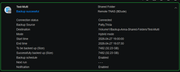
What happen the first time was I sent the backup to a wrong folder, so I just wanted to move it to another location.
I thought I did just a right click "Move to" and got an error during the move. So I tried rsync.
Right now the dupl is running and will try to move the file afterwards.
If it works correctly this time, I might try turning snapshot on and repeat the steps.
**UPDATE: It is working fine, so either the possible issue is/was having snapshot links active in the folders being "Dupl"' and/or the HyperCache was still active for the storage pool associated with the D4-320.
The target of the moves were to the storage poll on the D4-320. To clarify, the target of the duple was to the storage pool on the f6-424, with the next step moving it to the D4-320.
So unfortunately broke the unwritten rule, changed two things. Removed the snapshot and turned off the hypercache on the d4-320.
Re: [Discussion] Multiple Shared Folders
Posted: 28 Apr 2026, 14:13
by Felix
rfbjr wrote: ↑28 Apr 2026, 08:00
Did you perform a "move to" operation on a shared folder while a backup was running? Because the source server is continuously writing files to the destination server's directory during the backup process, moving the folder during this time can cause conflicts, as some files might be written to the target path while your system is still performing the move operation.
Solution: You can pause the backup task or wait for it to finish before moving the shared folder. After completion, check if the backup path is correct before proceeding with the backup.
Re: [Discussion] Multiple Shared Folders
Posted: 28 Apr 2026, 18:38
by rfbjr
Possible? It has been working fine, I tried a few scenarios last night. Even tested a restore, since a backup is only good if the restore works.
Ok here is the thing. I have 3-5 shared folders on one NAS and would like to backup those folders daily to the F6. Then one a week or every other day copy those folders from the F6 to the D4-320 (storage pool)
I'm not sure, snapshot (duplicate), duple or rsync, each one has little odd things it does. I've used all.
Re: [Discussion] Multiple Shared Folders
Posted: 29 Apr 2026, 06:37
by TMzethar
rfbjr wrote: ↑28 Apr 2026, 18:38
I'm not sure, snapshot (duplicate), duple or rsync, each one has little odd things it does. I've used all.
You can learn about the functions of various options for Duplicate Backup here:
https://toshelp.terra-master.com/docs/T ... ple-backup
Re: [Discussion] Multiple Shared Folders
Posted: 29 Apr 2026, 07:12
by rfbjr
Last night I ran a Duple backup of two shared folders, to a remote NAS (F6-424), work fine.
On the F6, I then copied the duple file to the D4-320, worked fine. Then I ran the restore of that duple file (F6), to a testing folder on the F6. Worked fine. Worked fine, meaning both shared folders were restored.
Then I deleted the duple file on the F6, copied the duple file back from the D4-320 onto the F6, and did another restore test. Worked perfectly.
What I didn't test is trying a restore directly pointing to the duple file residing on the D4-320.Maybe one day, but in any case this process worked fine.
So rather than scheduling three different duple backup tasks for each of the shared folders, I can just run one task pointing to all three. Impressive.
Re: [Discussion] Multiple Shared Folders
Posted: 29 Apr 2026, 14:34
by Felix
rfbjr wrote: ↑29 Apr 2026, 07:12
We understand that you have configured the D4-320 as a storage pool on the F6-424. If your only goal is to back up shared folders from other devices to this D4-320 storage pool, you can simply set the backup destination directly to the pool. This way, you will only need a single backup task.
Re: [Discussion] Multiple Shared Folders
Posted: 29 Apr 2026, 16:41
by rfbjr
I might try that scenario again now that I turned off hyper cache on the D4 storage pool. Thank you