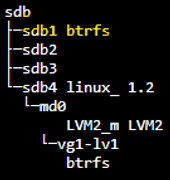
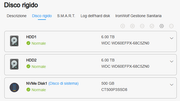
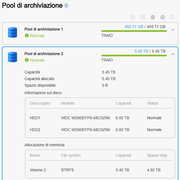
I have a problem with adding a disk to the TRAID.
Here are all the steps I took reading this post and they seem correct to me:
Starting situation, single disks not in raid:
- I have a NAS F5-221 5 slot
- Slot 1 = SSD 128 Gbyte with TOS v. 5.1.145
- Slot 2 = HD Exos 18 Tb with about 14 Tb of data.
I wanted to add another 3 new exos 18 tb disks by creating a TRAID for the data only and leaving the SSD as a single system disk.
- I insert the 3 new disks in the empty slots and create the TRAID, create the storage pool, and create a volume at maximum space. I therefore find myself with the SSD, the 18 TB disk with the data and the empty 32.xx TRAID.
- Knowing that the disks to be added to the TRAID must be empty and without partitions, first I copy all the data from the disk to the TRAID.
- Once this is done, having made sure that I have duplicated all the data exactly, I delete the single disk and delete the volume.
- I join the now empty disk to the existing TRAID, it takes almost 3 days to finish the job. At this point I only have 2 storage pools, the 128 Gbyte SSD with TOS and the TRAID whose volume however sees it as only 32.xx Tb as it was before adding the disk.
- I go to the volumes item and as per your post, I expand the existing volume to the maximum capacity. However, I have the problem that although the volume seems occupied by the 14 Tb of data that I originally had, I do not see the main data folder, it seems unreachable.
In the network resources of the PC I can see it but I cannot access it:
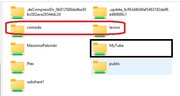
The folder with the data is the one in the black rectangle, those circled in red are folders that were on another disk that I had removed before all these steps and I don't understand why they are still visible on the network...
In the control panel in TOS I see this:
Storage pool
Volumes
Shared folders
Remote folders
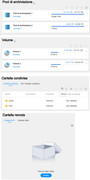
If I remember correctly, my data folder should be in the remote folders... and it's not there!
What should I do?