Page 5 of 7
Re: TOS 7.0.0408 Beta (X86) is Released for Update
Posted: 08 Mar 2026, 19:50
by TMzethar
mmick wrote: ↑08 Mar 2026, 16:35
I am still on TOS 6 but planning to update to TOS 7. I have some doubts/questions: My F4-423 boots from an M.2 SSD but I notice barely ANY improvement at all in boot time. Can I move the TOS 6 again to the HDDs and after that, normally upgrade to TOS 7 ? (Because, if it is in the ssd, I have to change the Boot order on BIOS, which I do not want)
This may be feasible for certain models or BIOS versions, but it is not absolute.
It is recommended to adopt a more reliable method.
Re: TOS 7.0.0408 Beta (X86) is Released for Update
Posted: 08 Mar 2026, 21:42
by foxfordf0r3v3r
I'm current on 7.0.0364 ( Release Notes ) and update check failed, please where can i download 7.0.0.408 file so i can update manually. Thank you.
Re: TOS 7.0.0408 Beta (X86) is Released for Update
Posted: 08 Mar 2026, 21:55
by foxfordf0r3v3r
Nevermind, figured out is was a dns name resolution issue

Re: TOS 7.0.0408 Beta (X86) is Released for Update
Posted: 09 Mar 2026, 19:16
by joka388
Re: TOS 7.0.0408 Beta (X86) is Released for Update
Posted: 09 Mar 2026, 23:04
by mmick
mmick wrote: ↑08 Mar 2026, 16:35
I am still on TOS 6 but planning to update to TOS 7. I have some doubts/questions: My F4-423 boots from an M.2 SSD but I notice barely ANY improvement at all in boot time. Can I move the TOS 6 again to the HDDs and after that, normally upgrade to TOS 7 ? (Because, if it is in the ssd, I have to change the Boot order on BIOS, which I do not want)
could someone help me with this? Thank you
Re: TOS 7.0.0408 Beta (X86) is Released for Update
Posted: 09 Mar 2026, 23:26
by Gremlin
mmick wrote: ↑09 Mar 2026, 23:04
I thought someone had answered your question.
Why do you need to "change the boot order in BIOS"?
Re: TOS 7.0.0408 Beta (X86) is Released for Update
Posted: 10 Mar 2026, 09:24
by TMnight
mmick wrote: ↑08 Mar 2026, 16:35
Of course, you can modify it in Control Panel>Storage Management>Disk>System Disk
Re: TOS 7.0.0408 Beta (X86) is Released for Update
Posted: 10 Mar 2026, 12:15
by Caterpillar
@syssnapshot/default/GMT+11-* exists (14 snapshots)
Snapshot routes #/Backup* redirect to desktop
Snapshot app empty despite existing TFSS snapshots
I'm now trying to abandon the old snapshots and start new ones in the Snapshot app. But how to delete those old one from TFSS? I can't find anywhere in the TOS 7.0 to the old TFSS maintenance screen.
Re: TOS 7.0.0408 Beta (X86) is Released for Update
Posted: 10 Mar 2026, 14:17
by MikeZhang
mmick wrote: ↑08 Mar 2026, 16:35
With the NAS powered off, connect a monitor and a keyboard via USB. Briefly press the power button, then press and hold Del or Esc until you see the BIOS interface. Enter the BIOS by hovering over the boot option and adjusting the boot order.
Re: TOS 7.0.0408 Beta (X86) is Released for Update
Posted: 10 Mar 2026, 17:24
by Lex
GUI render
Shared folders for 10 of elements
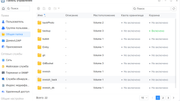
Shared folders for other of elements