Page 4 of 6
Re: [ Tailscale ] VPN to connect your team and devices easy
Posted: 20 Mar 2025, 03:35
by bertieuk
echohelloworld wrote: ↑03 Jul 2024, 00:50
SINSENAS wrote: ↑28 May 2024, 02:31
Same question where is check for enable this feature
Was able to set this up by following the the tailscale exit node directions for linux -
https://tailscale.com/kb/1103/exit-nodes?tab=linux. This will require SSH-ing into the server, and adding the two ip forwarding configs to the sysctl.conf file. Afterwards, you need to advertise it as a exit-node, and approve it in the admin tailscale console.
Bit more clarity on this.
Once you have the module installed and running, ssh to your TNAS, then:
Code: Select all
echo 'net.ipv4.ip_forward = 1' | tee -a /etc/sysctl.conf
echo 'net.ipv6.conf.all.forwarding = 1' | tee -a /etc/sysctl.conf
sysctl -p /etc/sysctl.conf
ensure 1 is returned
Restart Tailscale to pick up the forwarding changes:
Code: Select all
/etc/init.d/Tailscale stop
/etc/init.d/Tailscale start
Configure Tailscale as an exit node:
Code: Select all
/Volume1/@apps/Tailscale/bin/program/tailscale set --advertise-exit-node
/Volume1/@apps/Tailscale/bin/program/tailscale up
Switch to Tailscale admin (
https://login.tailscale.com/admin/machines ) and TNAS should now have a Blue label 'Exit Node". Configure from the 3 dots > Edit route settings ...
The FLAGS value in tailscale.defaults is passed to the tailscale daemon (by Go) and not the tailscale app.
{
Not yet confirmed this remains after Tailscale app restart or TNAS restart}
Re: [ Tailscale ] VPN to connect your team and devices easy
Posted: 07 Apr 2025, 12:03
by DomRanUser
Any plans to update TOS5 aarch package to version 1.80.2? Tailscale keeps bugging me to update my NAS
Re: [ Tailscale ] VPN to connect your team and devices easy
Posted: 07 Apr 2025, 14:59
by Frostbyte
The install guide is clear and the WebUI access info is spot on. Appreciate the effort!
Re: [ Tailscale ] VPN to connect your team and devices easy
Posted: 02 May 2025, 21:28
by krshtrue
Hi there,
Maybe I'm just a bit of a newbie, but I ran into a very strange issue on my TerraMaster NAS (model F4-423) that I eventually traced back to the Tailscale app. About two weeks after installing it—and following a power outage—I lost internet access on the NAS. DNS resolution was broken: ping 8.8.8.8 worked fine, but no domain names could be resolved.
Initially, I had no reason to suspect Tailscale. I even uninstalled the app, but the problem persisted. After a lot of digging, I realized that /etc/resolv.conf had been overwritten by Tailscale and was pointing to nameserver 100.100.100.100, which I assume is used for MagicDNS. The real problem is: this file was not reverted after uninstalling, and even worse, it was locked as read-only—so manual edits weren’t possible without root-level remounting or reinstallation.
Eventually, I solved it by reinstalling Tailscale and adding public DNS servers (Google and Cloudflare) under Global Nameservers in the admin console. That updated the file properly and restored DNS functionality.
However, this behavior feels risky—if someone doesn’t know what’s going on, they could be left with a bricked NAS (at least in terms of remote connectivity and services like Plex).
However, this raises a few concerns:
- Why doesn’t the uninstall process restore the original /etc/resolv.conf or remove the Tailscale override?
- Is there a recommended way to completely remove Tailscale without leaving DNS broken?
- If so, could this be documented clearly somewhere or added as a script option?
Thanks for your work—Tailscale is great, but this edge case really caught me off guard.
Re: [ Tailscale ] VPN to connect your team and devices easy
Posted: 04 May 2025, 14:56
by outkastm
Unfortunatelly, a power outage can lead to some files being corrupted on a NAS that is not connected to an UPS. This will destroy sone functionality of specific apps and can be probably solved by reinstalling the app.
Backup and restoration of the resolv.conf file is managed by Tailscale itself, when the app can start and stop sucessfuly.
Install/unninstall action are maneged by an encrypted filed from Terramaster, not so much i can do to add more actions during these steps.
I can only add a step for restoration of the resolv.conf backup (if is present, meaning it was not restored automatically by Tailscale app) during the stop step script.
This stop step should be launched by Terramster during uninstall script.
I don't see why the resolv.conf was locked after your power outage. This file can be always edited by superuser using the embedded terminal app from TOS6. Maybe it was corrupted ?
Re: [ Tailscale ] VPN to connect your team and devices easy
Posted: 24 Aug 2025, 00:25
by pastilhas42
How can i connect to my own headscale server?
Can't seem to login to anywhere but Tailscale...
Much appreciated
Re: [ Tailscale ] VPN to connect your team and devices easy
Posted: 27 Sep 2025, 08:00
by Heaguen
Please, add me as another request for TOS 4.2.44!
Re: [ Tailscale ] VPN to connect your team and devices easy
Posted: 01 Dec 2025, 10:23
by YCK
Hi, I have a TerraMaster f4-210. I visited this website
https://tmnascommunity.eu/download/tailscale/ and it doesn't have the .tpk for my system version. I would like to know if you have it for this version. If so, could you post the link? I would be very grateful. If not, I would like to request the development of this. So far, thank you very much for a fantastic tool.
Re: [ Tailscale ] VPN to connect your team and devices easy
Posted: 09 Jan 2026, 22:53
by ryekass3
I would also like to install this to my TerraMaster F4-210, if this counts as a request!
Re: [ Tailscale ] VPN to connect your team and devices easy
Posted: 19 Jan 2026, 22:59
by wsy91
I’m trying to get Tailscale running on my TerraMaster NAS, but I keep hitting a PHP path error whenever I try to open the Web UI. Despite trying a reinstall, the service doesn't seem to be linking correctly.
My System:
NAS Model: F2-223
TOS Version: TOS
Tailscale Version: 5.1.131
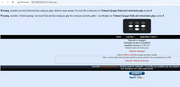
The Error: When I launch the app (at Support & Help), I get the following errors on a white screen:
Warning: include(/usr/local/Tailscale/bin/config.inc.php): failed to open stream: No such file or directory in /Volume1/@apps/Tailscale/webui/index.php on line 8
Warning: include(): Failed opening '/usr/local/Tailscale/bin/config.inc.php' for inclusion (include_path='.:/usr/lib/php') in /Volume1/@apps/Tailscale/webui/index.php on line 8.
What I have tried so far:
Uninstalled and reinstalled the TP package.
Restarted the NAS.
Tried manually creating the symlink via SSH (ln -s /Volume1/@apps/Tailscale /usr/local/Tailscale), but the error persists.
It seems like the config.inc.php is either missing or the index.php is pointing to the wrong static path (/usr/local/...) instead of the relative path.
Could anyone advise on how to fix this or if there is a specific script I need to run to repair the installation paths?
Thanks in advance!