[Help] F4-424 unreachable every 48-72h (or less)

Discuss, seek assistance, and report issues related to hardware components, such as hardware platforms, memory, network ports, power supplies, UPS systems, and so on.
User avatar
Gremlin
Gold Member
Posts: 1620
Joined: 02 Dec 2022, 22:31
Great Britain

Re: [Help] F4-424 unreachable every 48-72h (or less)

Post by Gremlin »

:?: Would I be correct in presuming this issue has only become apparent with Bios version MADN0101.V07 :?:
and/or for the F4-424 specifically?

{I have bios .V05 on F2-424 and I have not encountered this issue.}

Otherwise, is there some specific bios/system setting that triggers the issue?
F5-221 TOS7.0.0777 - 4x4TB (Ironwolf) Traid
F2-424 TOS7.0.0777 - 2x500GB nvme (P3) Traid, 2x6TB HDD (HGST) Traid
F2-221 TOS7.0.0777 - 1x3TB Ext4, 1x4TB Btrfs
F2-425+ TOS7.0.0777 - 2x500GB nvme (P3) Traid, 2x6TB HDD (EXOS) Traid
User avatar
CursaYang
TM Support
Posts: 740
Joined: 06 Jan 2025, 16:34
China

Re: [Help] F4-424 unreachable every 48-72h (or less)

Post by CursaYang »

Currently, this issue has only been observed in the F4-424, F4-424 Pro, and F4-424 Max. However, due to the small sample size, we cannot draw definitive conclusions. We need more customer feedback.
To contact our team, please send email to following addresses, remember to replace (at) with @

Technical team: support(at)terra-master.com(for technical support)
Service team: service(at)terra-master.com(for purchasing, return, replacement, RMA service)
User avatar
newtyp3
Posts: 4
Joined: 09 Jun 2026, 12:36
United States of America

Re: [Help] F4-424 unreachable every 48-72h (or less)

Post by newtyp3 »

I updated to intel_idle. max_cstate=2 and will monitor for feedback.

A few observations while this issue was happening to me:
- When the system would hang, both orange/green LEDs were off and didn't come back on until I powered down the unit. When turning on the unit again, the LEDs would immediately turn off.
- When trying to reboot after a hang, the system would get stuck at the Terramaster logo. The only way it seemed to get past this was to boot up the unit without the storage drives connected. After that, it could boot up normally with the drives re-attached. All drives passed SMART long test.
User avatar
exqo
Posts: 31
Joined: 20 Dec 2025, 19:54
France

Re: [Help] F4-424 unreachable every 48-72h (or less)

Post by exqo »

TMnight wrote: 09 Jun 2026, 18:54
exqo wrote: 09 Jun 2026, 00:35
Thank you for your cooperation, and we look forward to your follow-up feedback.

In the previously provided operation document, we recommended setting the kernel startup parameter to:

Code: Select all

intel_idle. max_cstate=1
This setting will strictly limit the CPU from entering deeper energy-saving states. Based on feedback from some users, it can indeed effectively improve the problem of random crashes or no response. To further validate the issue, we would like you to try adjusting the parameter to:

Code: Select all

intel_idle. max_cstate=2
The modification method is exactly the same as the operation in the previous document, just replace the original: inteltidle. max_cstate=1 with: inteltidle. max_cstate=2, and then restart NAS.
Compared to parameter value 1, parameter value 2 allows the CPU to use a slightly higher level of idle energy-saving state, while maintaining good stability and also having the opportunity to achieve a better balance between power consumption and performance.
As we are still collecting relevant data and conducting validation, we hope to confirm the impact of different parameter settings on system stability through more actual operational results.
After completing the modifications, please continue to use the NAS normally and observe if there are still any issues such as crashes, unresponsive, or abnormal lagging. If the problem occurs again, please try to keep the relevant time points and log information as much as possible for us to further analyze.
Thank you very much for your assistance and cooperation.
Thank you for the follow-up and for the suggestion to test intel_idle.max_cstate=2. I'd like to share where things stand on my unit and why I'd like to postpone this specific test for now.

Stability after the initial fix
After applying both recommendations from your previous guide (BIOS update to BJFX-ADLN-109 and intel_idle.max_cstate=1), my NAS ran stable for 12 consecutive days under full load (Immich, qBittorrent, Jellyfin, *arr stack, AdGuard, Tailscale, etc.). The silent freeze signature we discussed earlier (folio_wait_bit_common at idle) did not recur during that period. This strongly suggests the C-state limit at max_cstate=1 is effective on N95 / stepping A0 hardware.

A new incident on 2026-06-09, but with a different signature
On 09 June around 16:00, the NAS became unresponsive again. However, after analyzing the freeze-watch logs, this incident has a clearly different signature from the previous C-state-related hangs:

- The CPU was under heavy load (not at idle) when the system locked up
- 5 runc processes were stuck consuming CPU for 5+ minutes, with load climbing linearly from 24 to 84
- Committed memory reached ~17 GB on a 8 GB physical system; swap was at 50%
- D-state count was 0 or 1, no folio_wait_bit_common signature
- BTRFS counters remained clean across all volumes
F4-424 - 2x4TB (Ironwolf) Traid + 1x8TB (WD Red)
TOS: 7.0.0746
RAM: 8GB
Bios: BJFX-ADLN-109
User avatar
CursaYang
TM Support
Posts: 740
Joined: 06 Jan 2025, 16:34
China

Re: [Help] F4-424 unreachable every 48-72h (or less)

Post by CursaYang »

exqo wrote: 10 Jun 2026, 15:11
Based on your description, the initial assessment is that the unresponsiveness is caused by a memory overflow.

You can enable debug logging to observe which processes besides runc were consuming CPU and memory when the system froze. This will help us with further analysis.
To contact our team, please send email to following addresses, remember to replace (at) with @

Technical team: support(at)terra-master.com(for technical support)
Service team: service(at)terra-master.com(for purchasing, return, replacement, RMA service)
User avatar
TMnight
TM Support
Posts: 181
Joined: 30 Sep 2022, 16:40

Re: [Help] F4-424 unreachable every 48-72h (or less)

Post by TMnight »

exqo wrote: 10 Jun 2026, 15:11
Thank you for providing the detailed analysis and log information.

Based on the information you shared, we agree that this incident appears to be significantly different from the previous C-State-related freeze behavior we discussed.

After updating the BIOS and setting intel_idle.max_cstate=1, the system remained stable for 12 consecutive days, and the previously observed folio_wait_bit_common signature did not reappear. This suggests that the adjustment may have had a positive effect on mitigating the original idle-state freeze issue.

Regarding the incident that occurred on June 9, we noticed that the system was under relatively heavy load at the time, while system load, memory usage, and swap utilization had all increased significantly. Based on the information currently available, it is possible that excessive resource consumption or memory pressure may have contributed to the abnormal behavior.

However, with the information currently available, we are not yet able to determine the exact root cause. Therefore, before making any further configuration changes, we would like to collect additional system logs for analysis.

Please enable Debug Mode in "Support & Help" on the TOS desktop after the system has recovered. If the issue occurs again, you can simply reboot the NAS and then export a Debug Log from TOS and provide it to us for analysis.

We would like to focus on reviewing the system's resource usage, service status, and kernel logs before and during the incident in order to better understand what happened and identify the underlying cause.

Thank you again for your detailed testing and feedback. The information you have provided is extremely valuable in helping us investigate this issue. We will continue to follow up and work with you to further analyze and resolve the problem.
To contact our team, please send email to following addresses, remember to replace (at) with @:
Technical team: support(at)terra-master.com(for technical support)
Service team: service(at)terra-master.com(for purchasing, return, replacement, RMA service)
User avatar
exqo
Posts: 31
Joined: 20 Dec 2025, 19:54
France

Re: [Help] F4-424 unreachable every 48-72h (or less)

Post by exqo »

TMnight wrote: 10 Jun 2026, 18:34
A short follow-up on monitoring setup, plus a clarification on tnas-smartfan history and one technical observation that may be worth flagging on your side.

**Debug Mode validation**
I verified that TOS Debug Mode is writing properly to /Volume1/public/debug_log/. The syslog and kernlog files are updated in near real-time (I confirmed by injecting a test entry via `logger` and seeing it appear within 2 seconds). So if a new incident occurs, the exported Debug Log will contain useful kernel and system data for your analysis.

**Enhanced local monitoring**
I've also extended my own freeze-watch script (which captures a snapshot every 30 seconds to a persistent log on Volume3, BTRFS) to include:
- top processes by RSS (memory) in addition to CPU
- per-container Docker stats (CPU% and memory usage)
- swap usage trends

This should give a much clearer picture of "which processes besides runc were consuming CPU and memory" if a similar incident occurs, complementing the TOS Debug Log.

**Clarification on tnas-smartfan history**
For full context on the 09 June incident, here is the precise timeline of tnas-smartfan on my unit:

- Originally disabled back in mid-May 2026, *before* the BIOS update, after I observed that smartctl calls from the smartfan daemon were piling up in D-state under disk I/O load and contributing to system stalls. Thermal regulation has since been handled by the BIOS EC in automatic mode, with HDD temperatures staying comfortably in the 32–34°C range.
- Re-enabled on 08 June 2026 (after 12 consecutive stable days on the BIOS + intel_idle.max_cstate=1 fix), with a systemd drop-in to lower its I/O and CPU priority (`IOSchedulingClass=idle`, `Nice=10`). Initial test was clean: ~24 hours of normal operation, no D-state activity from smartctl, slight HDD temperature improvement.
- The 09 June ~16:00 freeze (runc cascade, memory pressure) occurred during this re-enabled window. It was the only configuration change between the 12 stable days and the freeze.
- Re-disabled immediately after the incident, on 09 June evening, to isolate the variable. Currently still disabled.

The runc-cascade freeze signature is quite different from the smartfan-related D-state pile-up I had seen earlier, so I'm not claiming smartfan was the direct cause — only that it is the single variable that changed. The current A/B test (extended stable uptime with smartfan disabled vs. the previous re-enabled window) should clarify this.

**One observation worth flagging: atop appears non-functional under TOS 7**
While validating the Debug Mode setup, I noticed that the atop service (/usr/bin/atop, started automatically when Debug Mode is enabled) writes only one initial dump (~23 MB of preloaded historical data) and then stops writing entirely. The service is reported as `active (running)` by systemd, but the log file does not grow.

Diagnostic details:
- Process state: S (sleeping), wchan = `do_sys_pause`
- `strace -p PID` for 5 seconds shows zero syscalls (no pause, nanosleep, write, etc.)
- File size strictly unchanged between T0 and T+35s
- Command line: `/usr/bin/atop -w /Volume1/public/debug_log/atoplog 30`

This suggests atop is blocked indefinitely on a `pause()` syscall that never returns — likely because the periodic signal that should wake it every 30 seconds is not being delivered. The issue persists after the BIOS update to BJFX-ADLN-109 and TOS 7.0.0612 (kernel 6.12.63+ #15). I previously observed the same behavior on earlier TOS 7 builds, so this looks like a long-standing issue in the TOS 7 kernel / signal delivery path. It's not blocking for me (I have alternative monitoring), but you may want to verify it on a reference unit and check whether the kernel build options or systemd-atop unit need adjustment.

**Current status**
- Uptime since the 09 June incident: stable, no recurrence
- Configuration unchanged (intel_idle.max_cstate=1, tnas-smartfan disabled, CPU limits on Prowlarr/Jellyseerr, Immich stopped)
- Goal: 7+ days clean baseline before reintroducing variables

I'll report back at the milestone or immediately if an incident occurs (with the TOS Debug Log attached).

Thanks again for the continued collaboration.

Best regards
F4-424 - 2x4TB (Ironwolf) Traid + 1x8TB (WD Red)
TOS: 7.0.0746
RAM: 8GB
Bios: BJFX-ADLN-109
User avatar
rgrg1
Posts: 17
Joined: 07 Apr 2026, 02:41
Hungary

Re: [Help] F4-424 unreachable every 48-72h (or less)

Post by rgrg1 »

After updating the BIOS and configuring the C-State settings according to the guidelines, everything seemed to be working fine. If I remember correctly, it ran smoothly for 7–8 days, but now the same thing has happened as before—a "silent freeze." Debug mode was enabled, so I sent the logs via email.
User avatar
rgrg1
Posts: 17
Joined: 07 Apr 2026, 02:41
Hungary

Re: [Help] F4-424 unreachable every 48-72h (or less)

Post by rgrg1 »

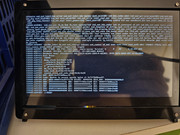
I wanted to shut it down just now, but according to the attached screenshot, the shutdown process stalled and froze; only a hard reset worked.
Now started memtest..
Image
User avatar
TMnight
TM Support
Posts: 181
Joined: 30 Sep 2022, 16:40

Re: [Help] F4-424 unreachable every 48-72h (or less)

Post by TMnight »

rgrg1 wrote: 11 Jun 2026, 22:41
Thank you for providing the screenshot.

Based on the information currently available, we can only confirm that the system experienced a Kernel Panic. However, since the screenshot only captures the crash screen itself and does not include the system logs before or after the event, we are unable to determine the root cause at this stage.

Could you please confirm whether Debug Mode had been enabled before the issue occurred?

If Debug Mode was enabled, please export the Debug log after the system has recovered and send it to our support email address. We will analyze the complete logs to review the system status leading up to the crash and determine whether the issue is related to software, drivers, hardware, or another underlying factor.

Thank you for your cooperation and support.
To contact our team, please send email to following addresses, remember to replace (at) with @:
Technical team: support(at)terra-master.com(for technical support)
Service team: service(at)terra-master.com(for purchasing, return, replacement, RMA service)
Post Reply

Return to “Hardware, Power and Accessories”