

Thanks Terramaster, that means I was right to be angry .... jokes aside, thanks!
TOS 6.0.530 Official Version Released
Re: TOS 6.0.530 Official Version Released

Current System:
F2-422 - 4TB storage
TOS- 7.0.0333
F2-422 - 4TB storage
TOS- 7.0.0333
-
ironozzyman

- Posts: 5
- Joined: 08 Feb 2025, 10:53

Re: TOS 6.0.530 Official Version Released
I think i killed my f2-221.
I went down to try to update the bios.
I made the USB disk with the bios files, i plugged hdmi, the usb disck and the keyboard. But i didnt pressed "ESC" so something happened and now the NAS is only showing red lights on HDD1 and HDD2, even with the HD plugged in.
The thing that happened was something like that. In the end showed the msg: "verifying"
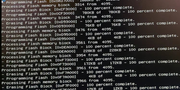
After that, the monitor and the keyboard went off. Now the NAS doesnt start, i cannot see bios again with the monitor and even the power button doesnt work to turn it off, just work to turn it on.
Pls help me! What could i do?
I went down to try to update the bios.
I made the USB disk with the bios files, i plugged hdmi, the usb disck and the keyboard. But i didnt pressed "ESC" so something happened and now the NAS is only showing red lights on HDD1 and HDD2, even with the HD plugged in.
The thing that happened was something like that. In the end showed the msg: "verifying"
After that, the monitor and the keyboard went off. Now the NAS doesnt start, i cannot see bios again with the monitor and even the power button doesnt work to turn it off, just work to turn it on.
Pls help me! What could i do?


Re: TOS 6.0.530 Official Version Released
Hello.How did you update your BIOS?
You can send your current device model,SN, system version, and BIOS version to our technical support email, and we will provide you with the suitable BIOS version to update.
-
ironozzyman
- Posts: 5
- Joined: 08 Feb 2025, 10:53
Re: TOS 6.0.530 Official Version Released
I cannot see any do that information.
The NAs doesnt start anymore, its Just showing 2 red light on HDD and 1 Power Green ligh. No beeps, no Lan lights, nothing.
The NAs doesnt start anymore, its Just showing 2 red light on HDD and 1 Power Green ligh. No beeps, no Lan lights, nothing.
Last edited by ironozzyman on 08 Feb 2025, 19:31, edited 1 time in total.
-
ironozzyman
- Posts: 5
- Joined: 08 Feb 2025, 10:53
Re: TOS 6.0.530 Official Version Released
I cannot see any of those info. The nas doesnt start anymore, no bips.

Re: TOS 6.0.530 Official Version Released
Can't update to .530TMRyan wrote: ↑11 Jan 2025, 16:47Yes, you can, we have add the BIOS version available to to update the instructions: viewtopic.php?p=39506#p39506
F2-221 TOS 6.0.229 and BIOS MAPL0304V17
Updated Initboot as viewtopic.php?t=6433
"Failed to update"
What should I do in this case?
F4-423


Re: TOS 6.0.530 Official Version Released
Which initboot usb did you use?
I just did the update 0n -221 and used the legacy 120MB on a 4GB usb. (My bios is 0304v22 however)
F5-221 TOS7.0.1278 - 4x4TB (Ironwolf) Traid
F2-424 TOS7.0.1278 - 2x500GB nvme (P3) Traid, 2x6TB HDD (HGST) Traid
F2-221 TOS7.0.1278 - 1x3TB Ext4, 1x4TB Btrfs
F2-425+ TOS7.0.1278 - 2x500GB nvme (P3) Traid, 2x6TB HDD (EXOS) Traid
F2-424 TOS7.0.1278 - 2x500GB nvme (P3) Traid, 2x6TB HDD (HGST) Traid
F2-221 TOS7.0.1278 - 1x3TB Ext4, 1x4TB Btrfs
F2-425+ TOS7.0.1278 - 2x500GB nvme (P3) Traid, 2x6TB HDD (EXOS) Traid

Re: TOS 6.0.530 Official Version Released
You can flash the USB boot drive using the USB Initboot Image (TOS 6 Legacy 126MB), then insert the USB drive, remove all other disks, and proceed with a fresh installation of the TOS 6 system.
If you encounter any task errors during the reinstallation process, please take a screenshot and send it to us so we can quickly identify the issue.
If you encounter any task errors during the reinstallation process, please take a screenshot and send it to us so we can quickly identify the issue.
To contact our team, please send email to following addresses, remember to replace (at) with @:
Technical team: support(at)terra-master.com(for technical support)
Service team: service(at)terra-master.com(for purchasing, return, replacement, RMA service)
Technical team: support(at)terra-master.com(for technical support)
Service team: service(at)terra-master.com(for purchasing, return, replacement, RMA service)
Re: TOS 6.0.530 Official Version Released
I do not want to install FRESH TOS6, I want to UPDATE existing 6.0.229!TMeric wrote: ↑09 Feb 2025, 11:38 You can flash the USB boot drive using the USB Initboot Image (TOS 6 Legacy 126MB), then insert the USB drive, remove all other disks, and proceed with a fresh installation of the TOS 6 system.
If you encounter any task errors during the reinstallation process, please take a screenshot and send it to us so we can quickly identify the issue.
F4-423